

Visualize chords and scales on a banjo fretboard
Explore the banjo fretboard with its short fifth string, specific tunings and a visual display of notes, intervals, scales and chords.
Explore the features in screenshots
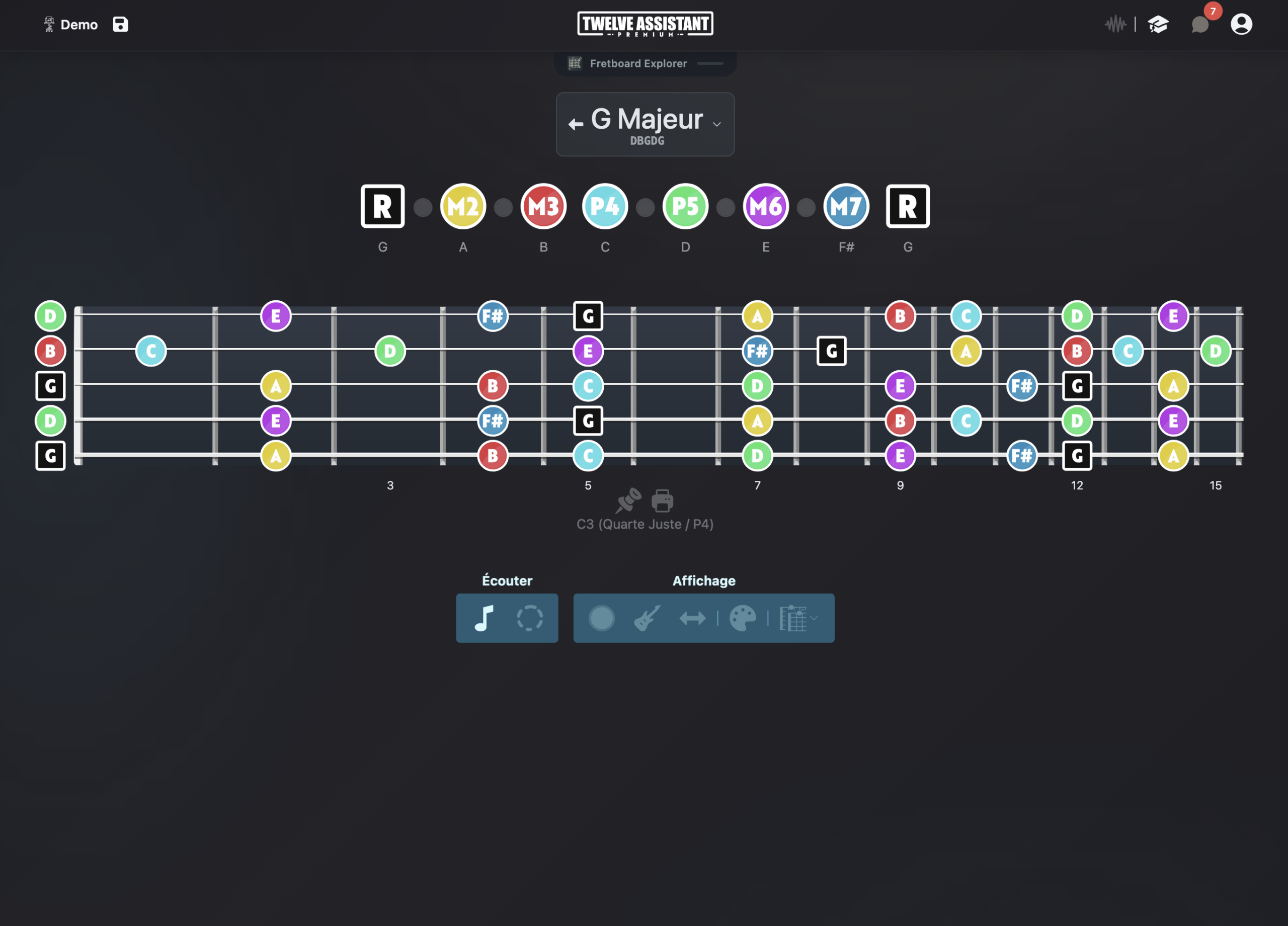
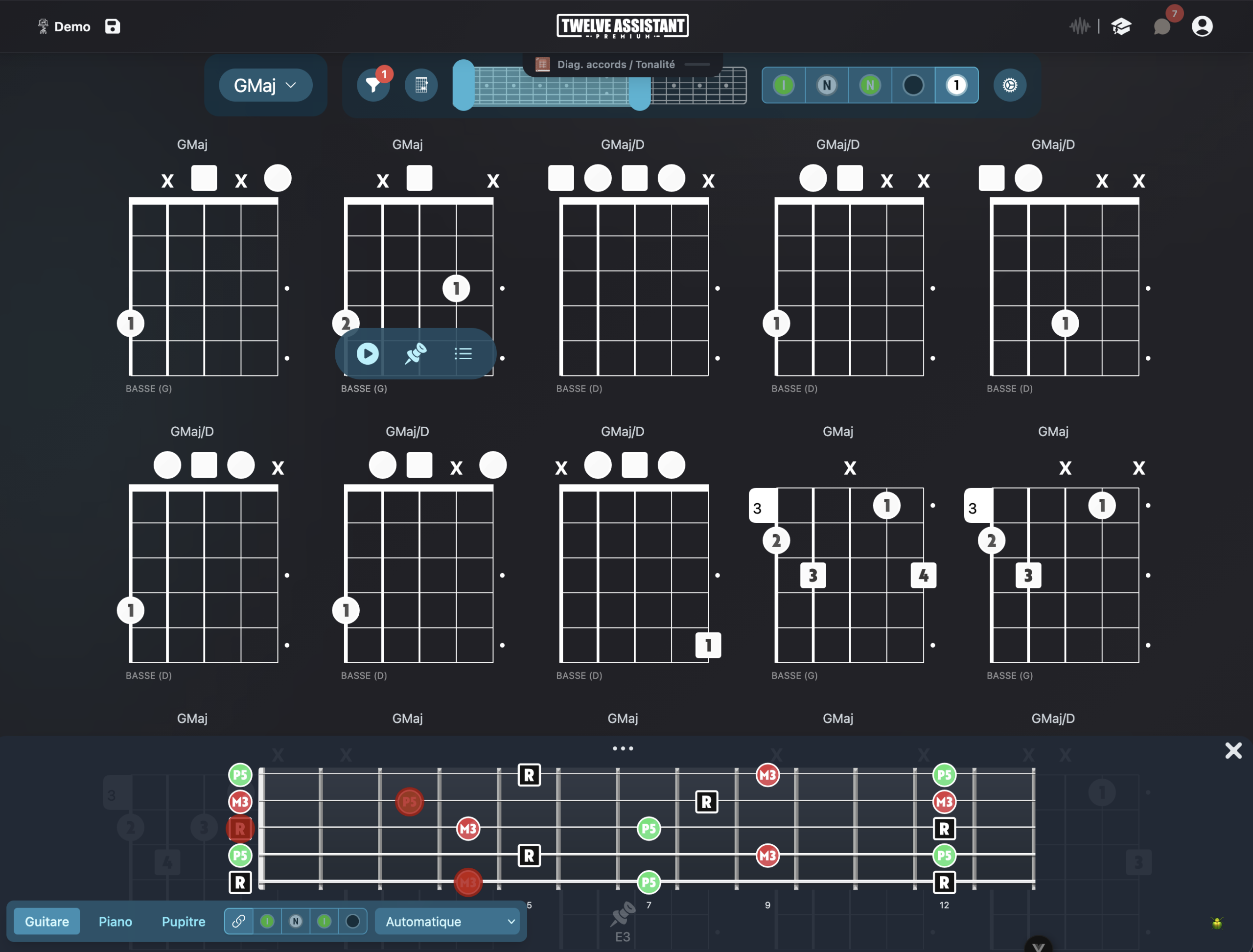
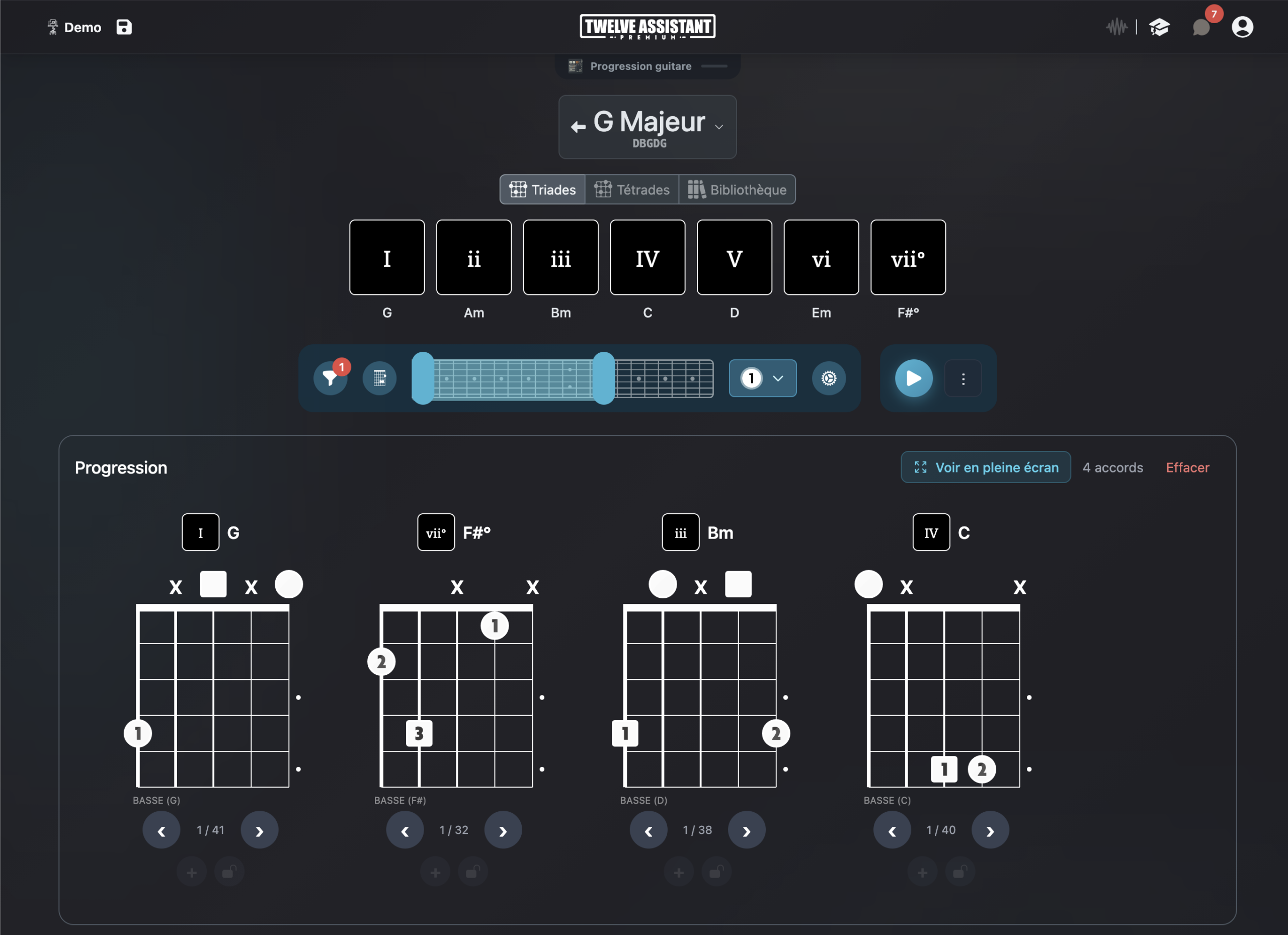
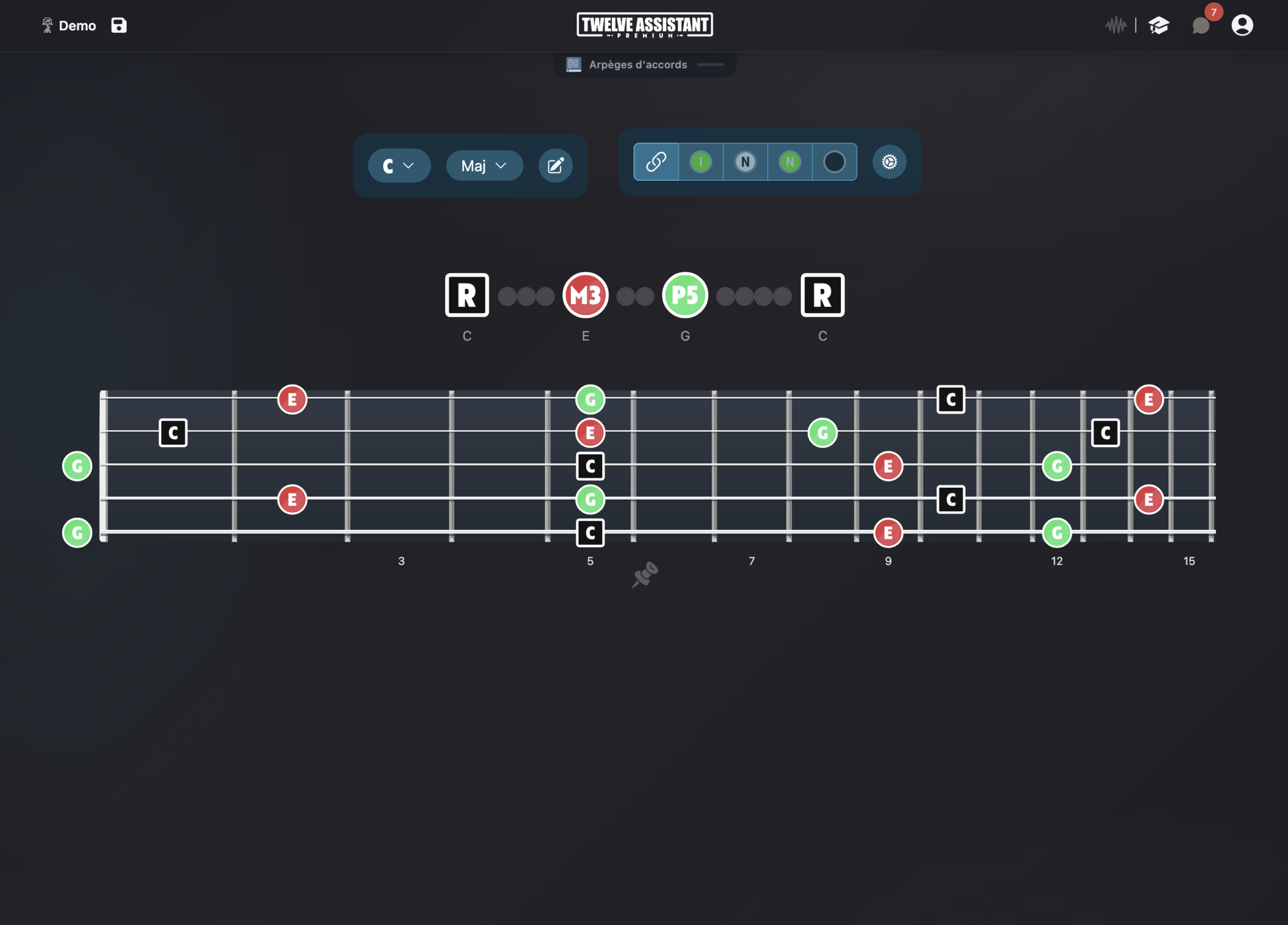
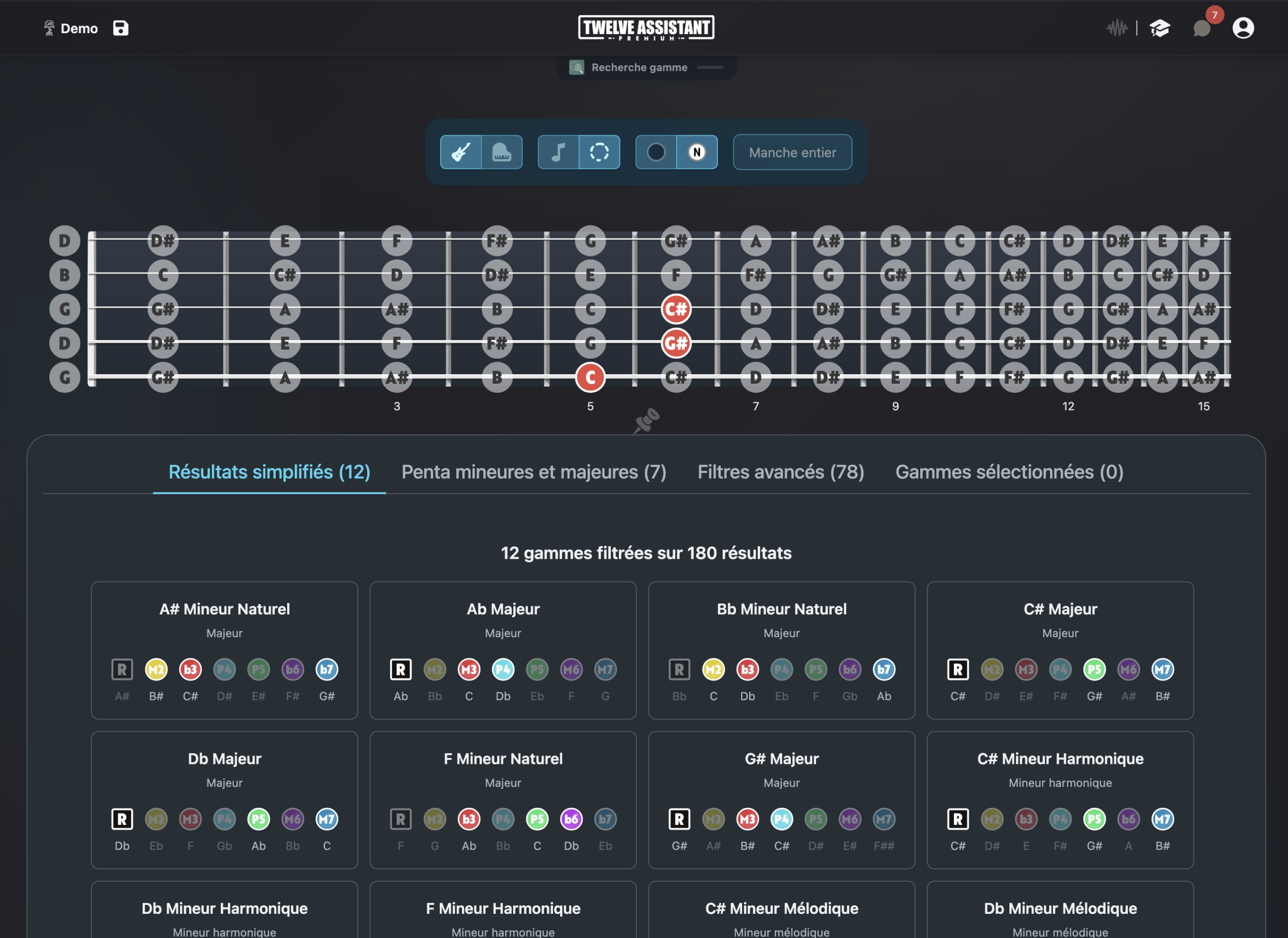
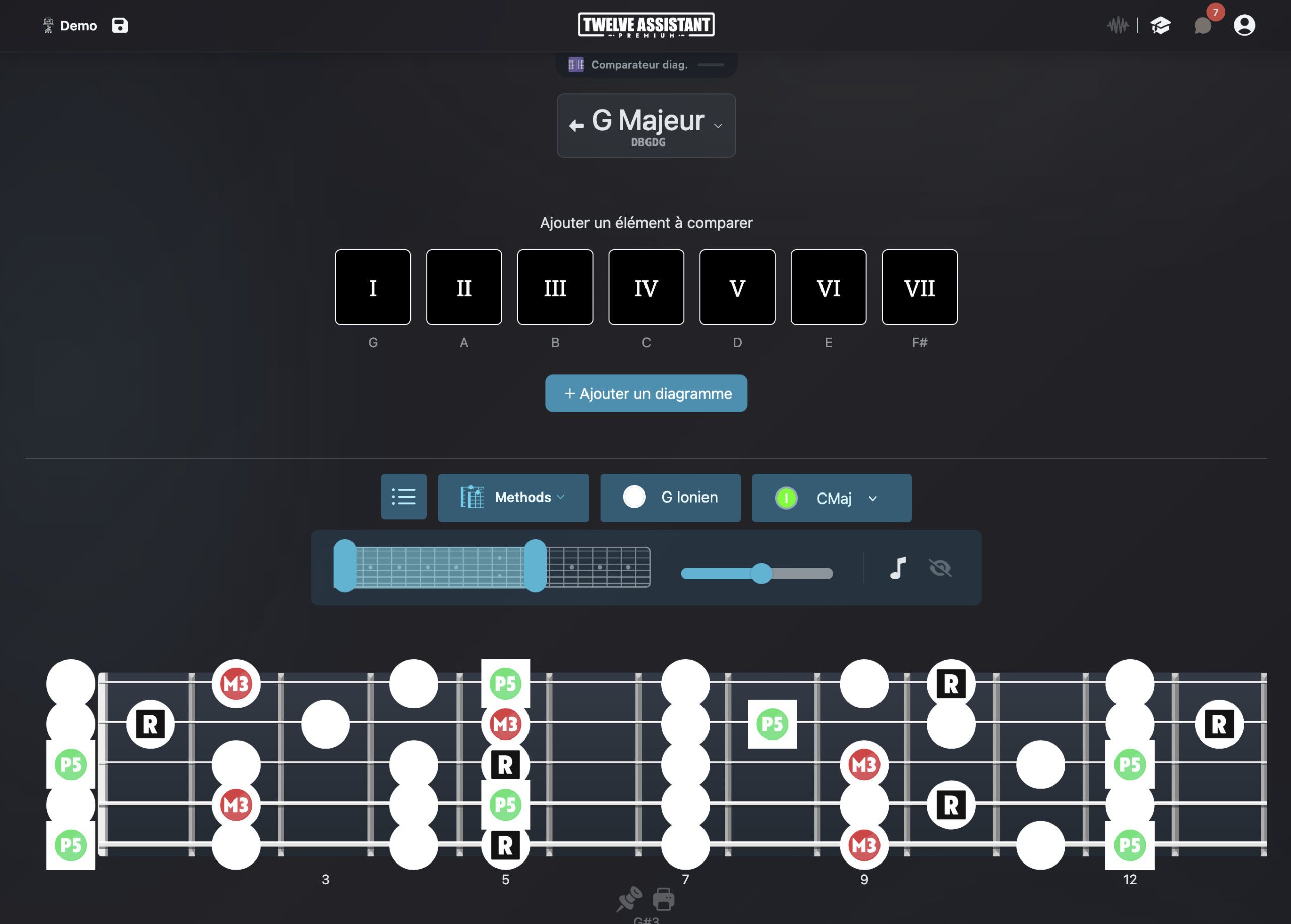
Respect the banjo’s unique layout
The 5-string banjo does not read like a shortened guitar. Its fifth string, shorter and often tuned to high G, changes how you visualize positions and available notes. A proper display avoids approximate diagrams.
With Twelve Assistant, you can define the string count and tuning, then display a scale or chord on the fretboard. Notes and intervals remain readable, even when you work with an open tuning like G tuning.
This approach helps understand chords, prepare melodies, explore notes in a key and connect positions to a harmonic progression.
A visual foundation for banjo
Five strings
A setup consistent with the 5-string banjo and its short drone string.
G tuning
Work with g D G B D tuning and create other configurations.
Chords
Spot chord notes and possible positions on the fretboard.
Scales
Visualize scale degrees in multiple playing zones.
Left-handed mode
Flip the visual orientation when your instrument is set up left-handed.
Progressions
Connect fretboard positions to chords in a harmonic sequence.
Understand open tunings
In G tuning, open strings already form a harmonic foundation. Displaying by intervals shows which notes belong to the chord, which enrich the color and where to find important scale degrees higher on the neck.
To prepare accompaniment, start from a progression and observe common tones between chords. You can save your positions and diagrams in the Music Stand, then organize a practice sheet adapted to the song.
Advanced features around your tuning
Scale and chord libraries
Start from a key, mode or chord, then display musical information on your fretboard’s actual configuration.
Chord progressions
Create a chord sequence, listen to its movement and search for positions or voicings adapted to your instrument and tuning.
Personal Music Stand
Gather useful diagrams, positions and analyses in a practice sheet you can organize according to your workflow.
Display everything left-handed
String count and tuning are independent from orientation. You can therefore keep exactly the same musical configuration and display the fretboard mirrored for a left-handed instrument.
When the left-handed preference is saved in your profile, compatible fretboard and diagram displays automatically apply it. The setting remains adjustable at any time.
A preference that follows you
Choose right or left-handed once in your preferences. The fretboard keeps the same tuning and only adapts its visual orientation.
This preference then applies to fretboard displays and compatible diagrams.
Start with a banjo in G tuning
Choose five strings, enter g D G B D, then select a key. First display the scale notes, then the progression’s chords. Use interval colors to quickly recognize roots and characteristic tones.
Choose instrument
Define string count, tuning and orientation.
Display content
Select a scale, chord or progression and choose visible information.
Save results
Listen, compare and place your useful diagrams in the Music Stand.
Discover all features in video
See how Twelve Assistant connects fretboard, scale and chord libraries, voicings, progressions and Music Stand in a single workspace.
Frequently asked questions
Is the short fifth string supported?
The configuration and display can be adapted to the 5-string banjo, with a dedicated representation of the short drone string.
Can I use tunings other than G tuning?
Yes. Custom tuning lets you define each string.
Can I work with chords and scales?
Yes. Both types of content can be displayed on the configured fretboard.
Can the banjo be displayed left-handed?
Yes. Left-handed orientation can be applied to the instrument configuration.
Explore other instruments and tunings
Try Twelve Assistant with your instrument
Start for free, watch the feature video or compare plans based on your needs.