

Explore chords and scales on your ukulele
Display notes, intervals, chords and scales on four strings, with reentrant G C E A tuning or your own configuration.
Explore the features in screenshots
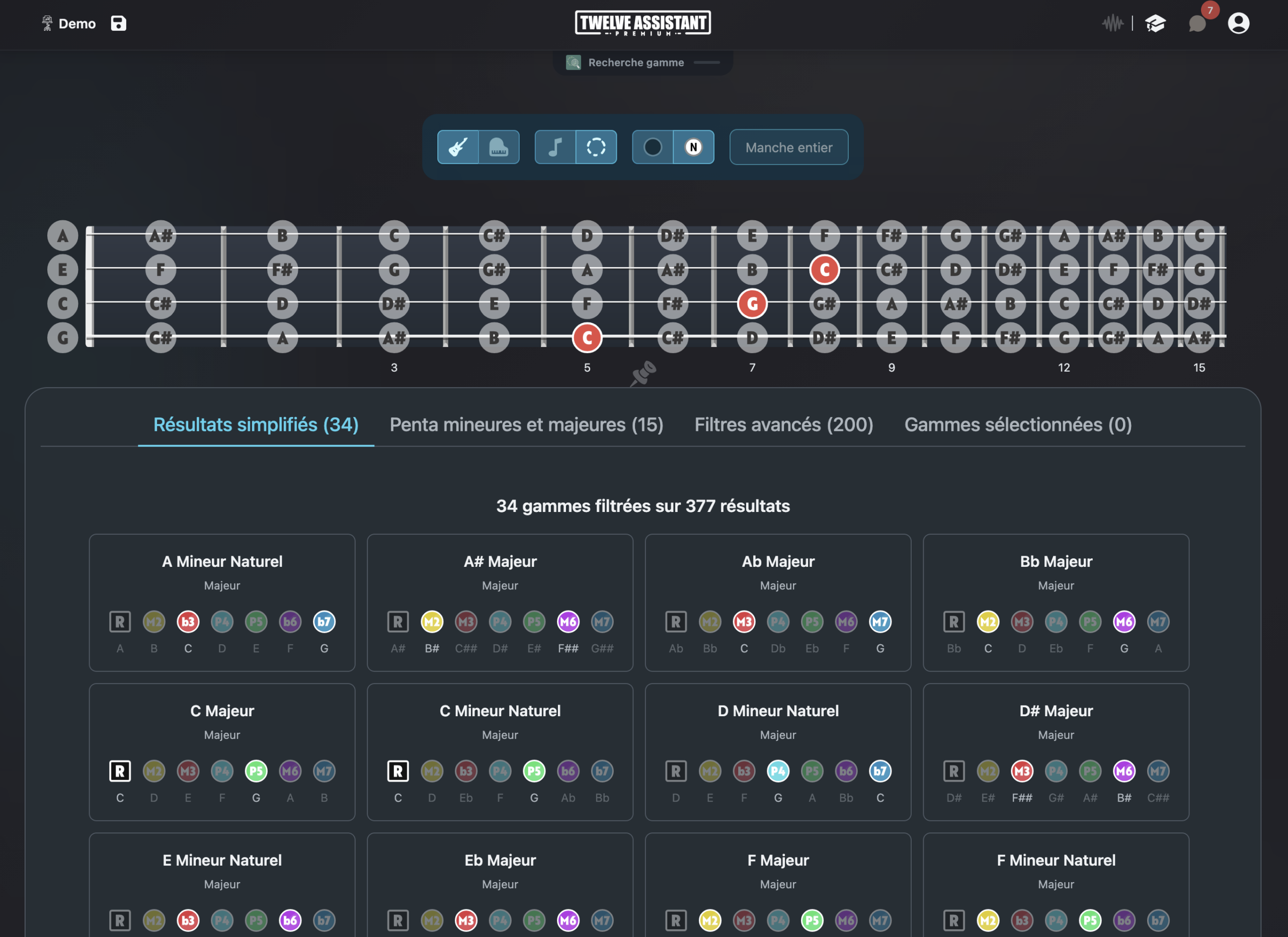
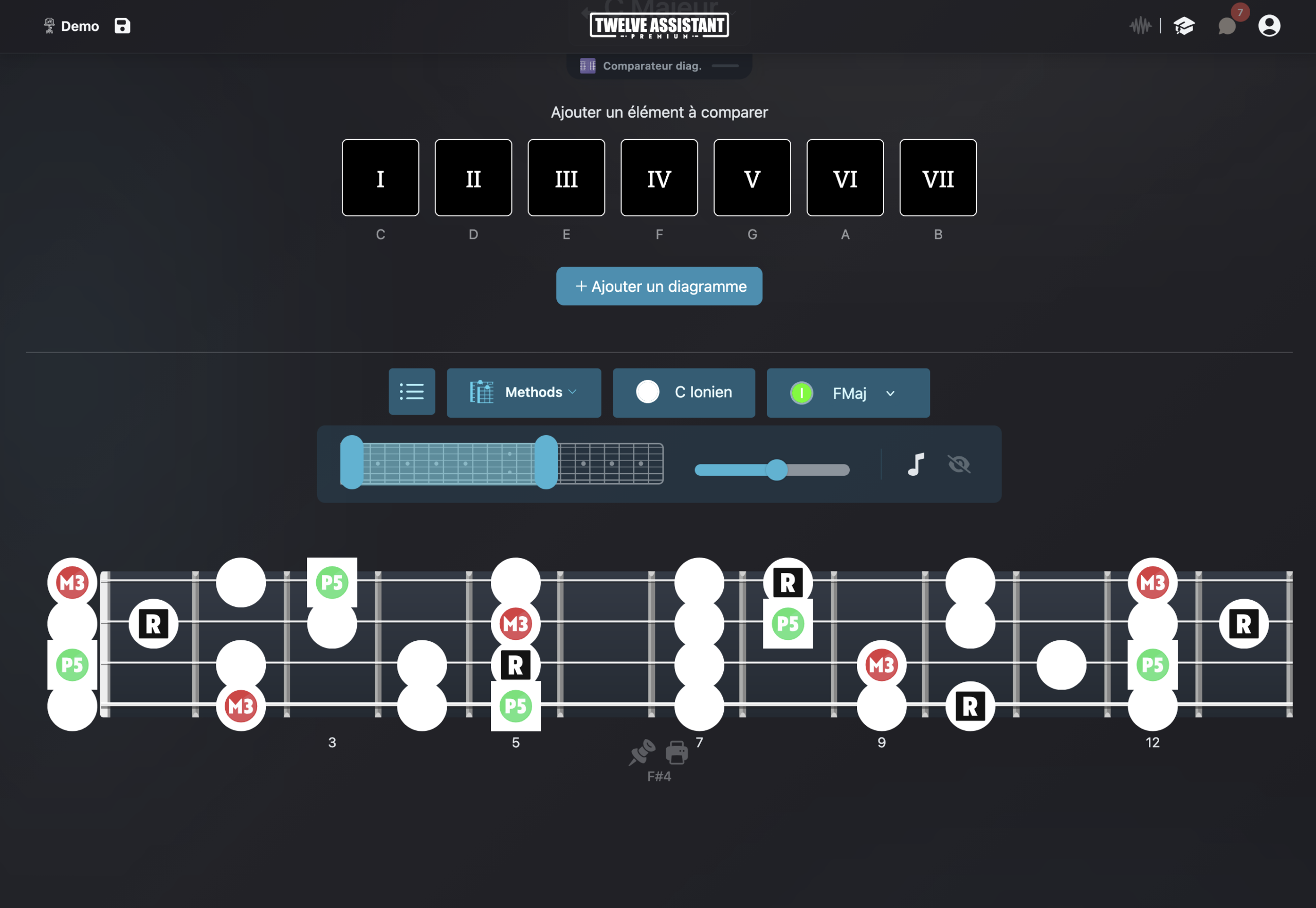
See beyond the first chord shapes
Ukulele is often learned from a few diagrams near the nut. Yet its fretboard offers many positions for accompaniment, improvisation and melody creation. A complete display helps understand how these shapes connect.
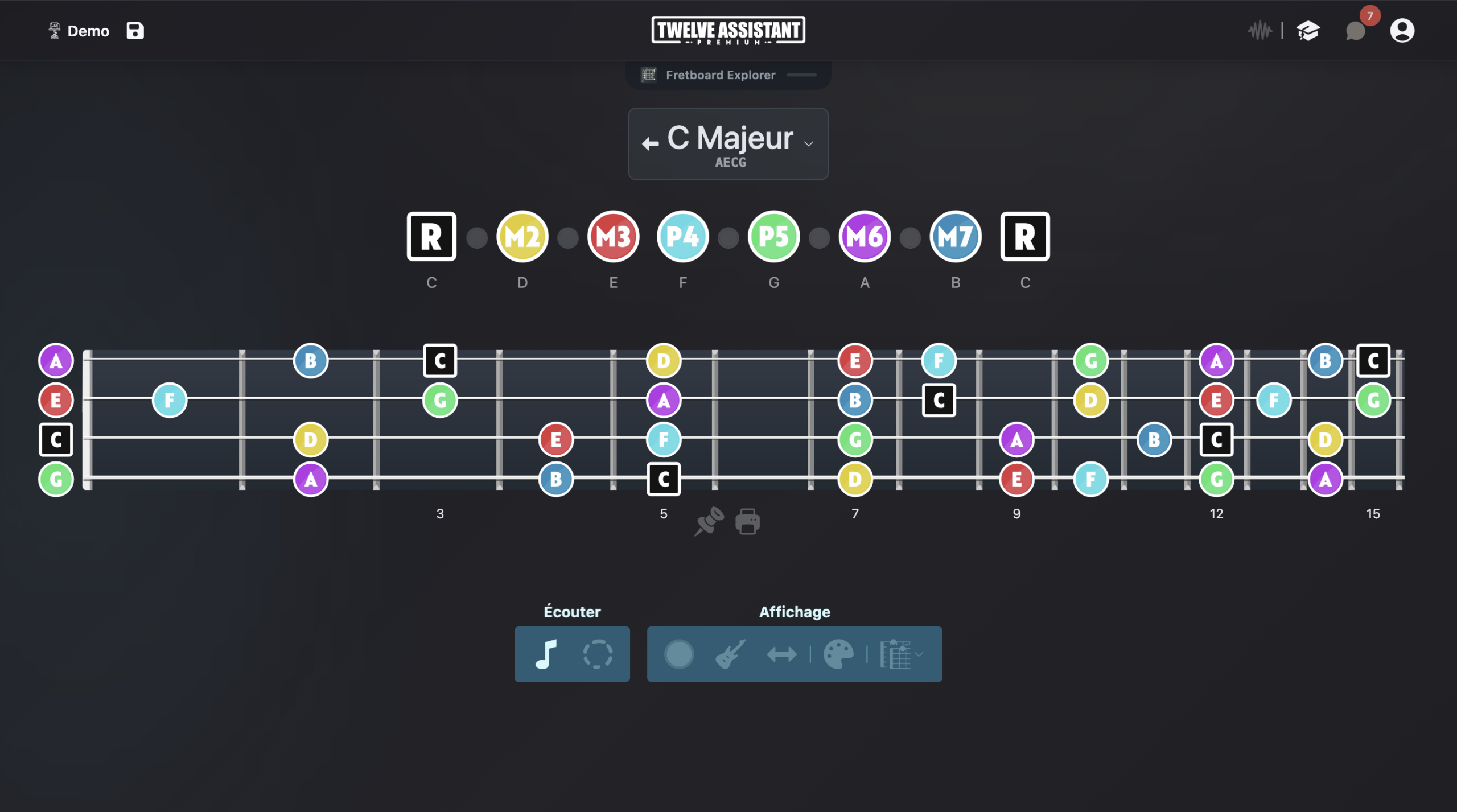
Twelve Assistant represents reentrant G C E A tuning and displays scale or chord notes across the full length of the fretboard. You can choose to read by note names, intervals or colors.
Harmonic tools complement this visualization. They help build progressions, listen to their movement, search for chords and prepare practice sheets in the Music Stand.
A ukulele connected to harmony
G C E A tuning
Work with standard reentrant ukulele tuning.
Four strings
Fretboard and diagrams are adapted to the instrument format.
Chord positions
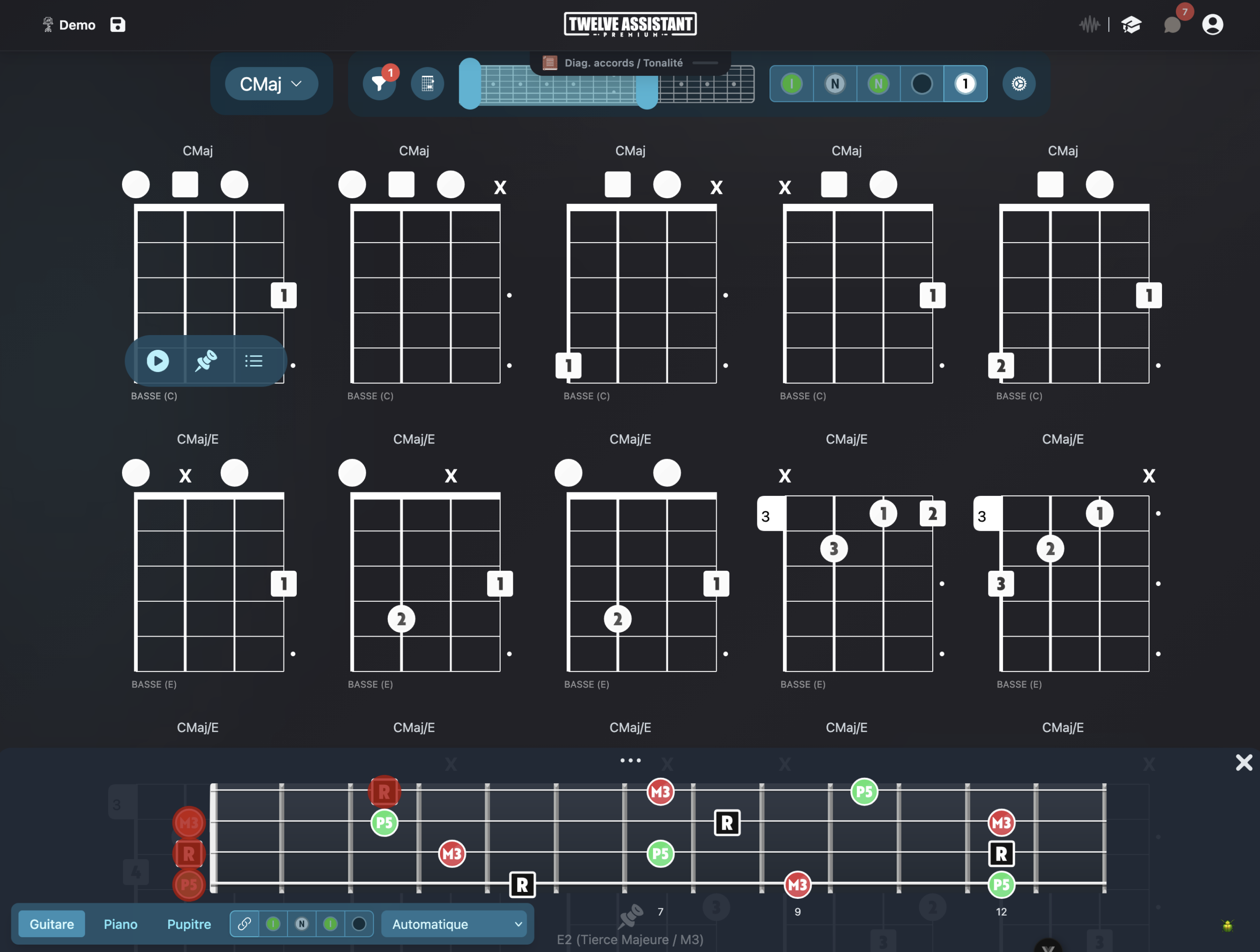
Explore multiple zones instead of staying on open chords.
Scales and melodies
Locate scale notes to improvise or build a line.
Custom tuning
Adapt the fretboard to a baritone ukulele or personal configuration.
Left-handed display
Use an orientation matching how you hold the instrument.
Connect chords, inversions and melody
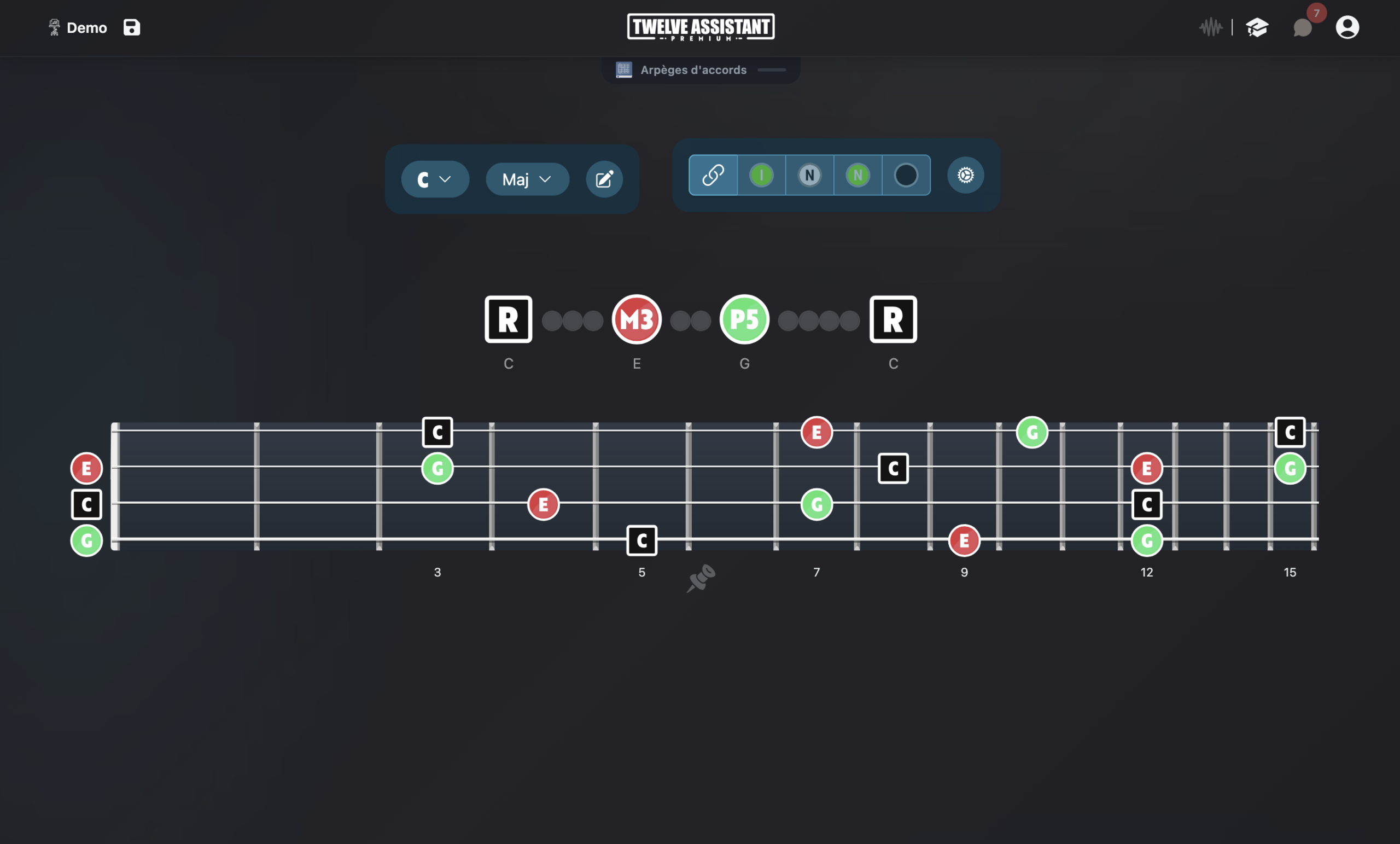
By visualizing the constituent notes of a chord, you understand why several shapes share the same name. This reading helps choose an inversion closer to the melody or create accompaniment that moves fluidly.
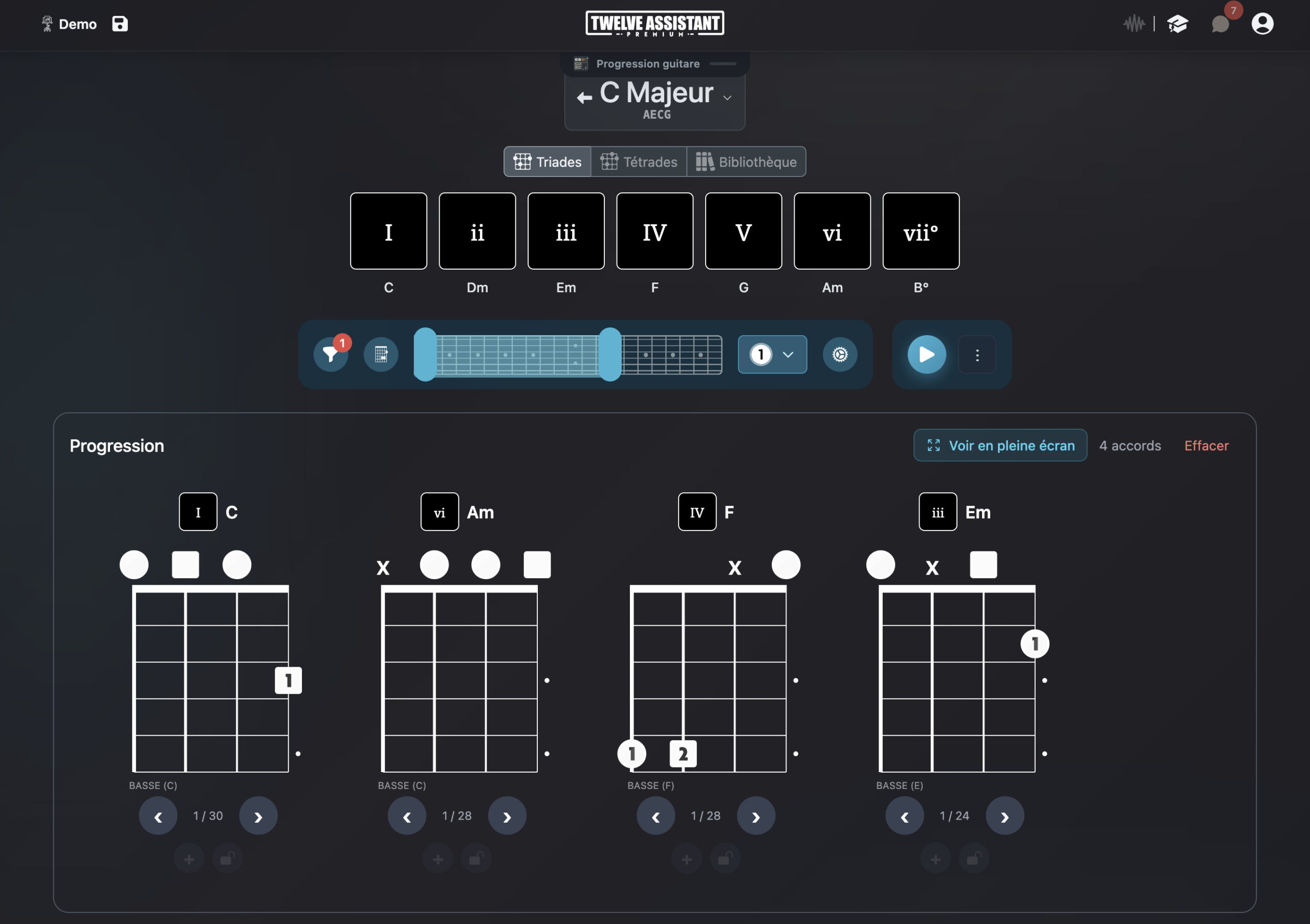
A progression can be analyzed in its key, then mapped onto the fretboard. Common tones become visible and position changes easier to anticipate. Useful results can be saved in the Music Stand.
Advanced features around your tuning
Scale and chord libraries
Start from a key, mode or chord, then display musical information on your fretboard’s actual configuration.
Chord progressions
Create a chord sequence, listen to its movement and search for positions or voicings adapted to your instrument and tuning.
Personal Music Stand
Gather useful diagrams, positions and analyses in a practice sheet you can organize according to your workflow.
Display everything left-handed
String count and tuning are independent from orientation. You can therefore keep exactly the same musical configuration and display the fretboard mirrored for a left-handed instrument.
When the left-handed preference is saved in your profile, compatible fretboard and diagram displays automatically apply it. The setting remains adjustable at any time.
A preference that follows you
Choose right or left-handed once in your preferences. The fretboard keeps the same tuning and only adapts its visual orientation.
This preference then applies to fretboard displays and compatible diagrams.
Work on a ukulele song
Enter the chord sequence, choose your tuning, then display each chord on the fretboard. Compare nearby positions, locate the highest melody note and gather your chosen shapes in a single sheet.
Choose instrument
Define string count, tuning and orientation.
Display content
Select a scale, chord or progression and choose visible information.
Save results
Listen, compare and place your useful diagrams in the Music Stand.
Discover all features in video
See how Twelve Assistant connects fretboard, scale and chord libraries, voicings, progressions and Music Stand in a single workspace.
Frequently asked questions
Is reentrant G C E A tuning available?
Yes. It can be used as a foundation for displaying scales and chords.
Can I configure a baritone ukulele?
Yes. Define its tuning in instrument preferences or with custom tuning.
Can I search for positions higher on the fretboard?
Yes. The visualizer shows the entire fretboard and lets you target a zone.
Is there a left-handed mode?
Yes. Compatible displays can apply your left-handed preference.
Explore other instruments and tunings
Try Twelve Assistant with your instrument
Start for free, watch the feature video or compare plans based on your needs.