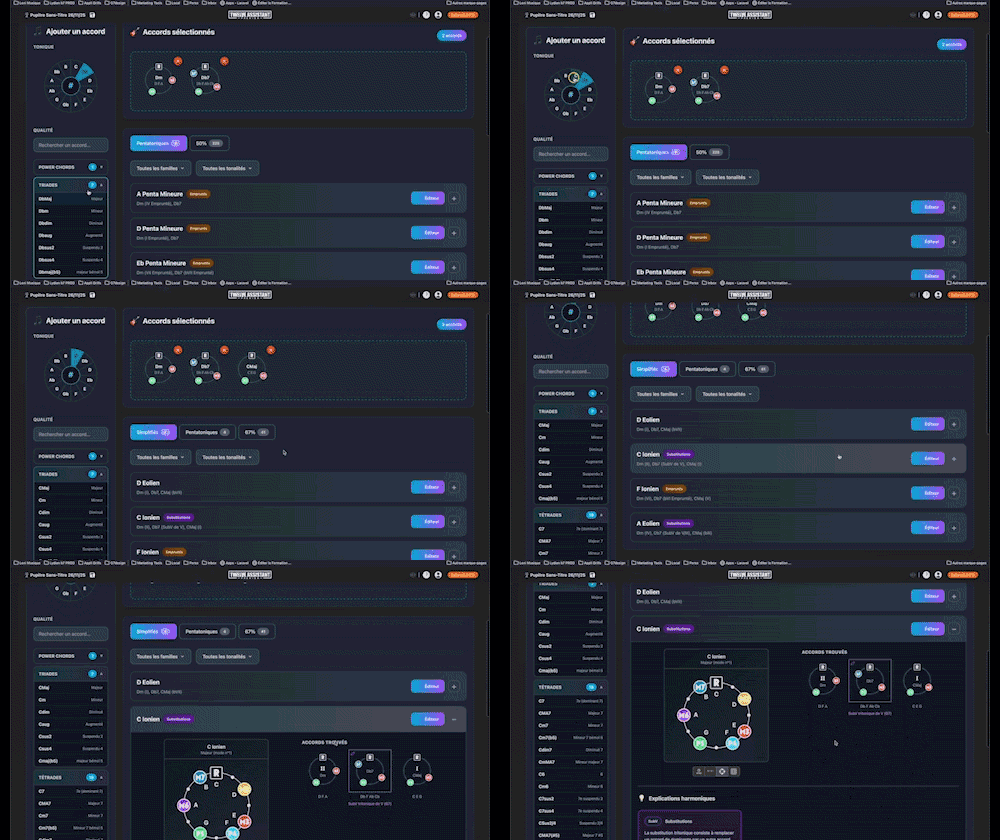
Find Chord
Instantly search and identify the chord being played based on its position on the fretboard


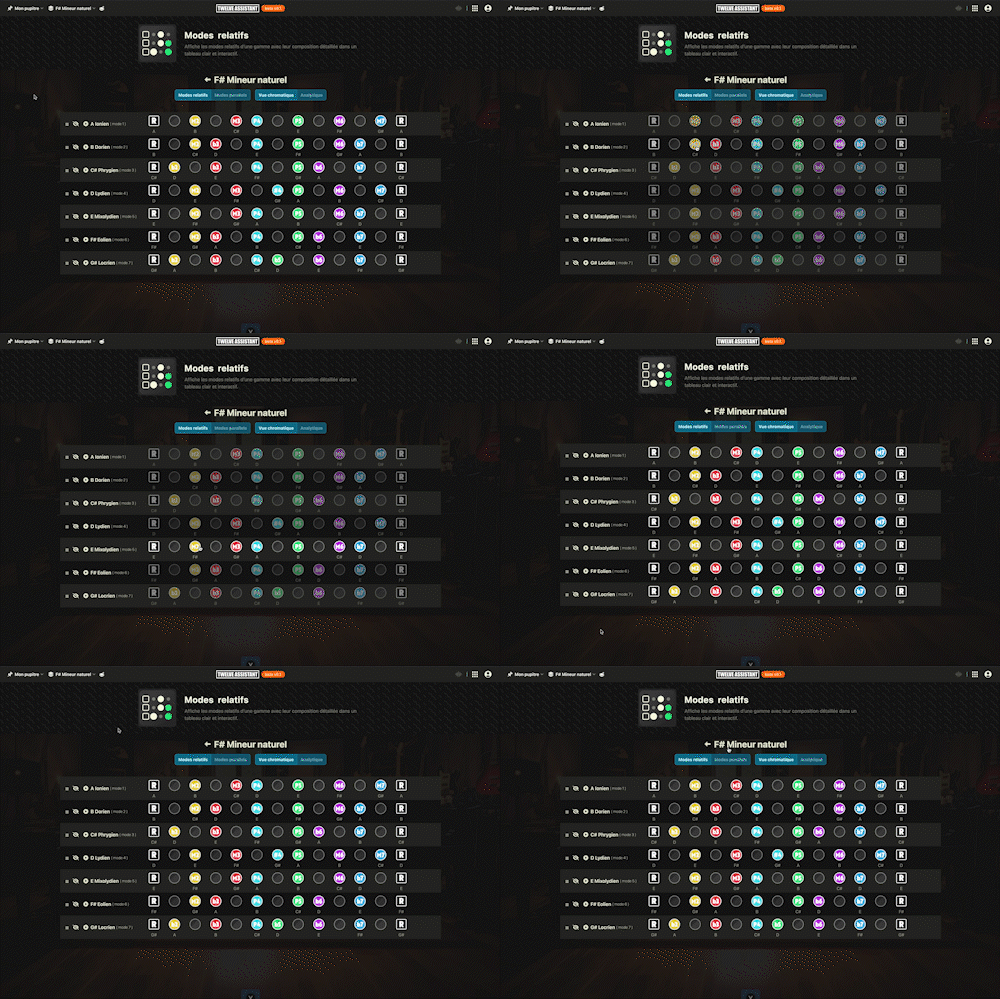
Display all relative modes of the active scale: clear diagrams show their notes, intervals, and harmonic colors, and you can audition each mode instantly. With one click, switch to parallel modes sharing the same tonic, compare their structures side-by-side, and hear how they differ.
Plans: HARMONY
 PREMIUM

Twelve Assistant is a comprehensive suite of music tools designed to help musicians of all levels improve their practice, understanding, and creativity. From guitar to piano, from harmony to rhythm, we have everything you need.
Learn More →Every app below can be played right in your browser, no sign-up needed.
 Bibliothèque de diagrammes d’accords
Try the demo →
Bibliothèque de diagrammes d’accords
Try the demo →
 Guitar chords progression editor
Try the demo →
Guitar chords progression editor
Try the demo →
 Strumming Pattern Generator
Try the demo →
Strumming Pattern Generator
Try the demo →
 Fretboard Explorer
Try the demo →
Fretboard Explorer
Try the demo →
 Key chords diagrams
Try the demo →
Key chords diagrams
Try the demo →
 Backing Track Finder
Try the demo →
Backing Track Finder
Try the demo →
 Key Degrees Analyzer
Try the demo →
Key Degrees Analyzer
Try the demo →
 Piano Harmony Player
Try the demo →
Piano Harmony Player
Try the demo →
 Key Piano Chords
Try the demo →
Key Piano Chords
Try the demo →
 Progression piano editor
Try the demo →
Progression piano editor
Try the demo →
 Chords Chart Editor
Try the demo →
Chords Chart Editor
Try the demo →
 Desk Layout Studio
Try the demo →
Desk Layout Studio
Try the demo →
Welcome to the world of relative and parallel modes, an essential tool for guitarists and musicians looking to deepen their harmonic understanding. With this tool, dive into the richness of musical scales by exploring their relative and parallel modes. Featuring an intuitive interface, discover how these modes are constructed, heard, and harmonized. Whether you are a music theory student or a professional composer, this tool is designed to enrich your sonic palette.
Relative and parallel modes allow you to instantly visualize and listen to the various harmonic colors of a scale. With a single click, compare modes sharing the same tonic or derived from the same family, and be guided by easy navigation for an immersive musical experience.
Discover the key features that make this tool a valuable ally for any musician. Each section provides a detailed overview of what you can achieve with relative and parallel modes.
Display all relative modes of an active scale. Each mode is presented with its notes, intervals, and harmonic colors. This feature is ideal for musicians wishing to understand the nuances of scales and how they interlock in different compositions.
With a single click, switch from relative modes to parallel modes sharing the same tonic. This allows a direct comparison of their structure and sound, offering a new perspective on how to modulate between modes.
Side-by-side diagrams facilitate visual comparison of modes. This visual approach helps quickly grasp the differences and similarities between modes, making learning more intuitive.
Listen to each mode to understand its sound colors. This feature is crucial for musicians looking to improve their musical ear and experiment with new sounds in their compositions.
Easily switch between modes with a user interface designed to simplify modal exploration. The tool is designed to offer you a smooth and enriching experience.
Start by selecting a scale in your layers, then follow these simple steps to explore relative and parallel modes.
For example, if you are working on a piece in C major, explore relative modes like D Dorian or E Phrygian, then switch to parallel modes like C Lydian to diversify your musical palette.
Using this tool offers numerous benefits for musicians, whether for learning, composing, or musical analysis.
For an even richer musical experience, explore other Twelve Assistant tools such as the scale library to discover new sounds, the progression generator to create captivating chord progressions, and the music stand to organize your scores. These tools complement each other to offer a dynamic and interactive musical environment.
Relative and parallel modes are powerful tools for any musician wishing to deepen their harmonic understanding and enrich their compositions. Explore the possibilities offered by Twelve Assistant today and let your musical creativity fully express itself.
Choose the plan that fits your needs and unlock this app along with many others.
View Plans14-day money-back guarantee. Cancel anytime.
Explore our full suite of music tools
Instantly search and identify the chord being played based on its position on the fretboard

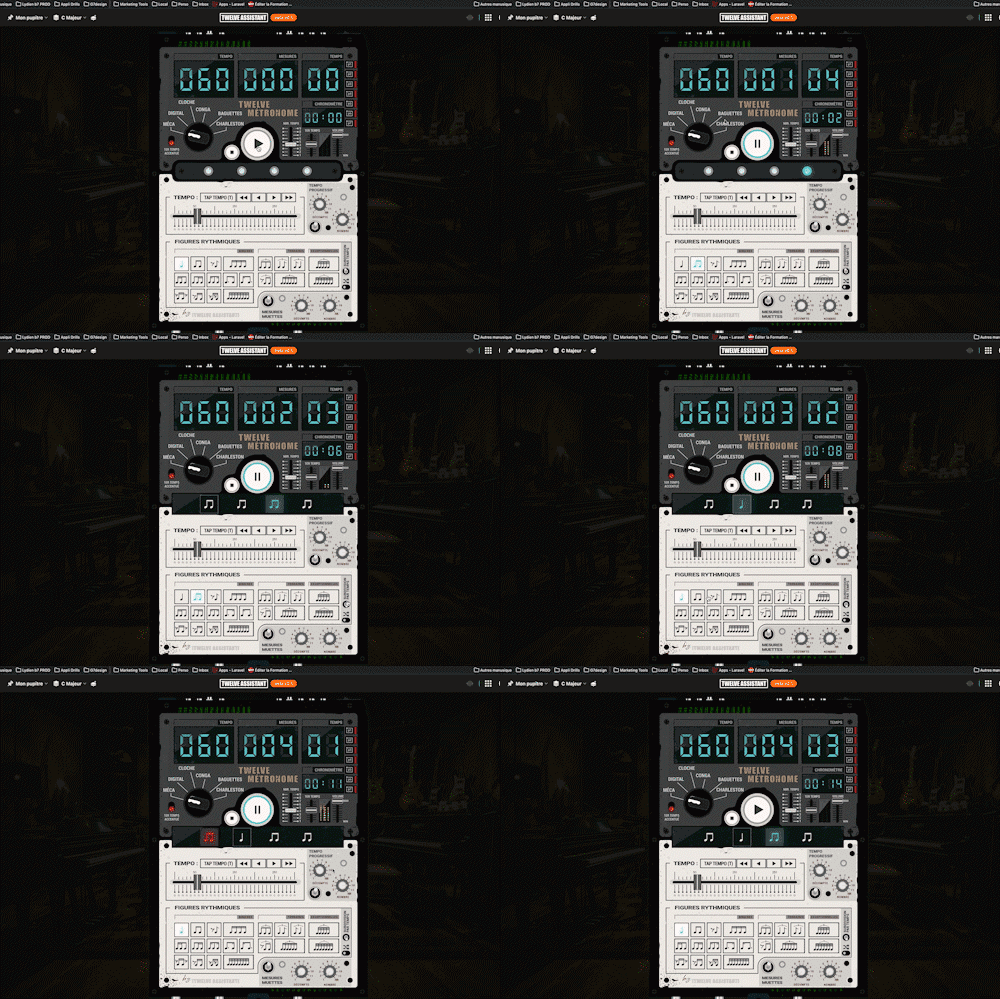
A full-featured metronome with a complete selection of rhythmic figures and advanced settings and functionalities

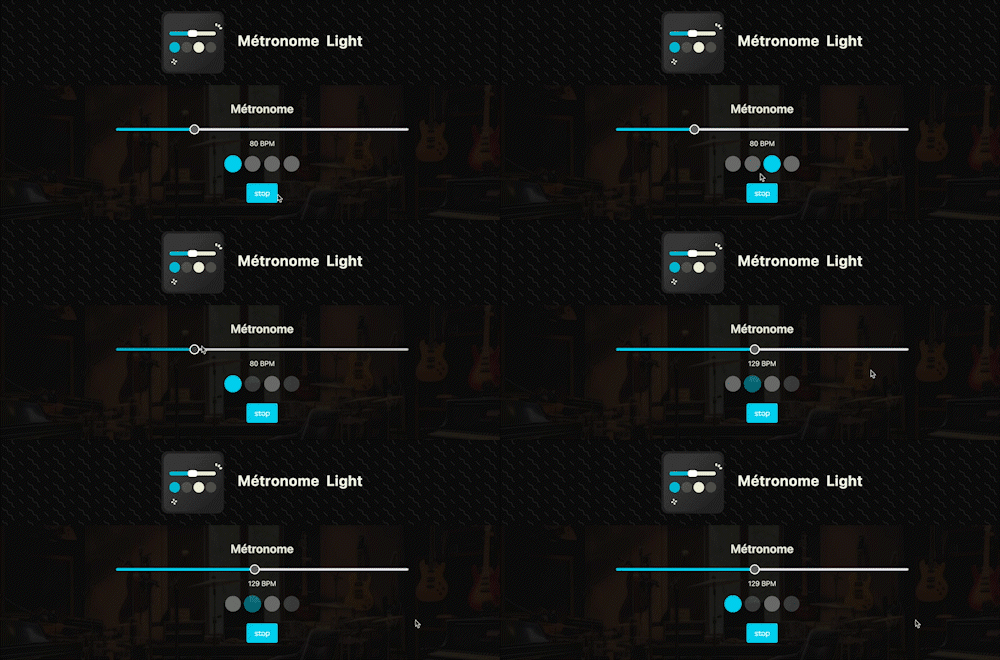
A straightforward, visual metronome: customize the tempo intuitively by clicking on the beat LEDs to set your perfect pulse.

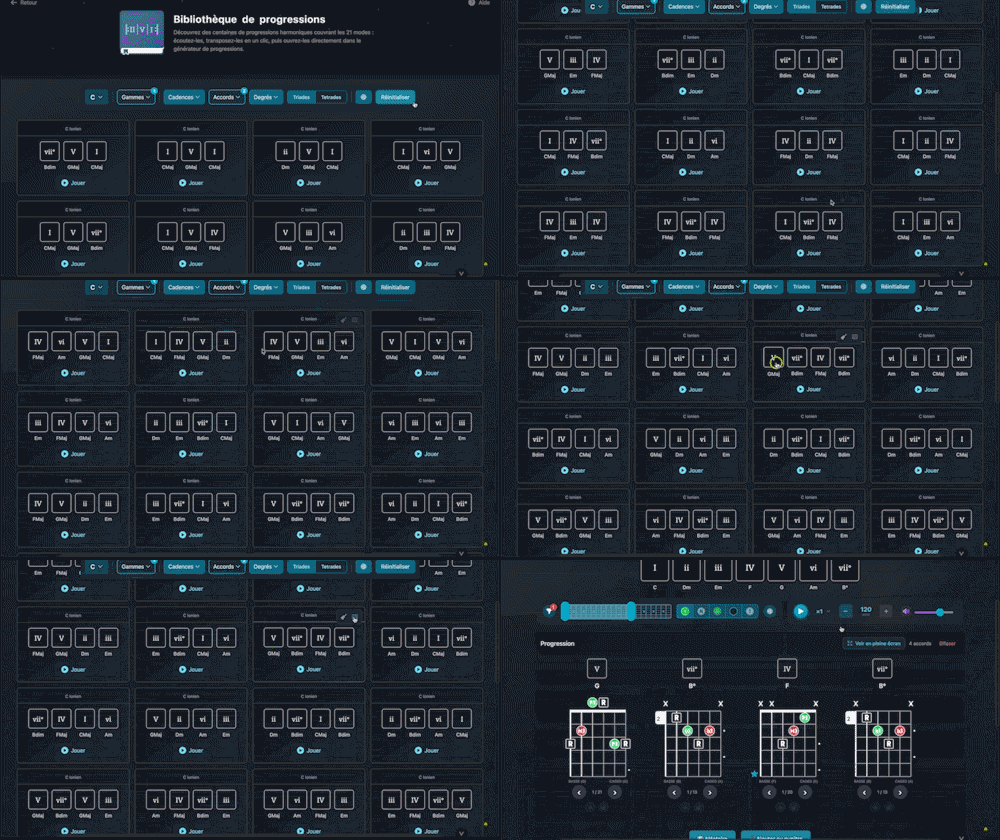
Explore hundreds of harmonic progressions spanning all 21 modes: audition, transpose, and send them straight to the progression generator with a single click.

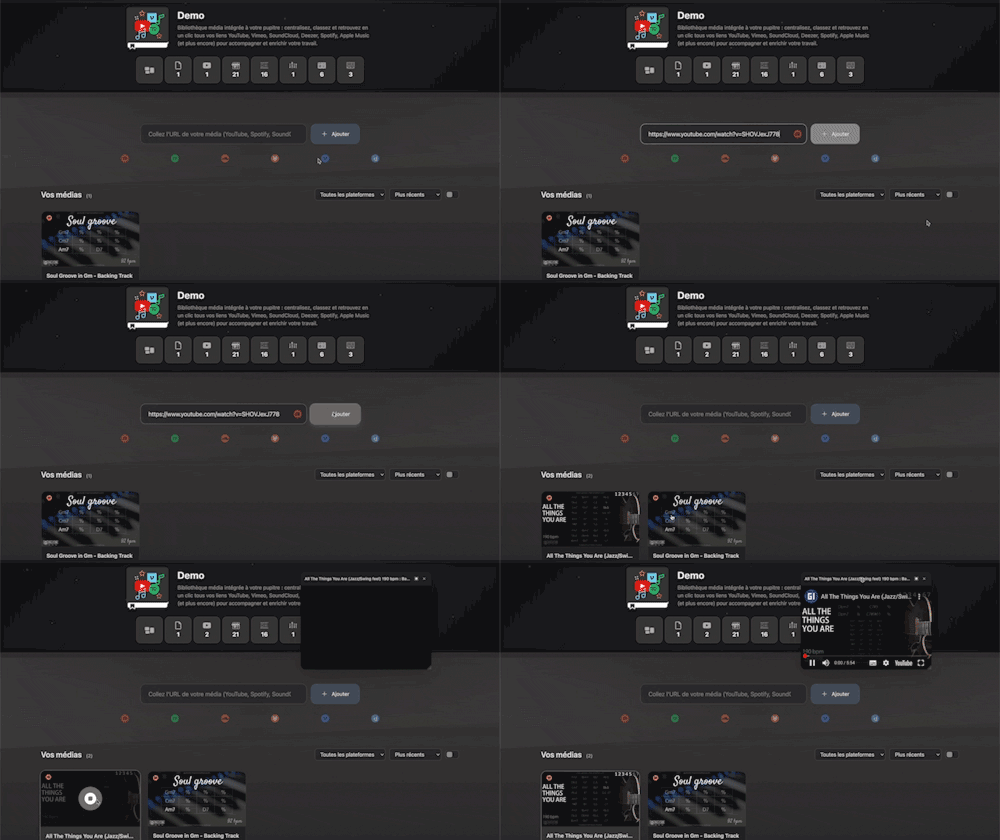
Integrated media library for your workspace: centralize, organize, and access all your YouTube, Vimeo, SoundCloud, Deezer, Spotify, Apple Music links (and more) with a single click to support and enrich your work.
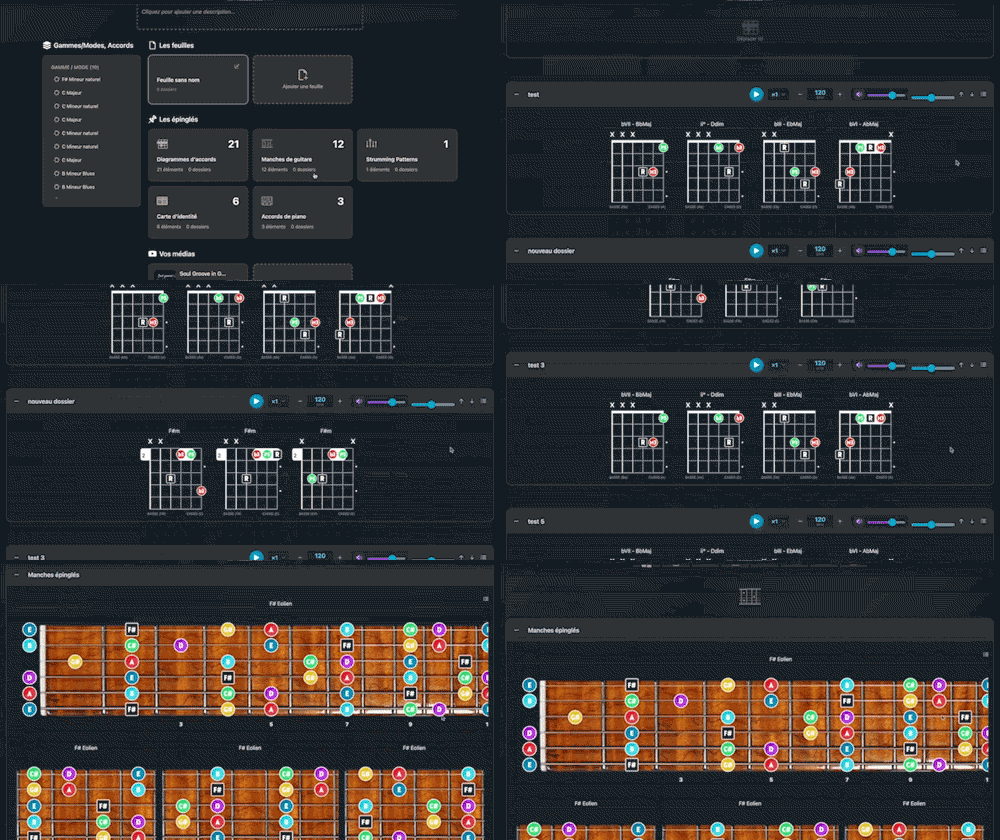
Arrange and lay out all your pinned items—diagrams, composition scales and charts—in the Desk Editor so you can save and print your work.

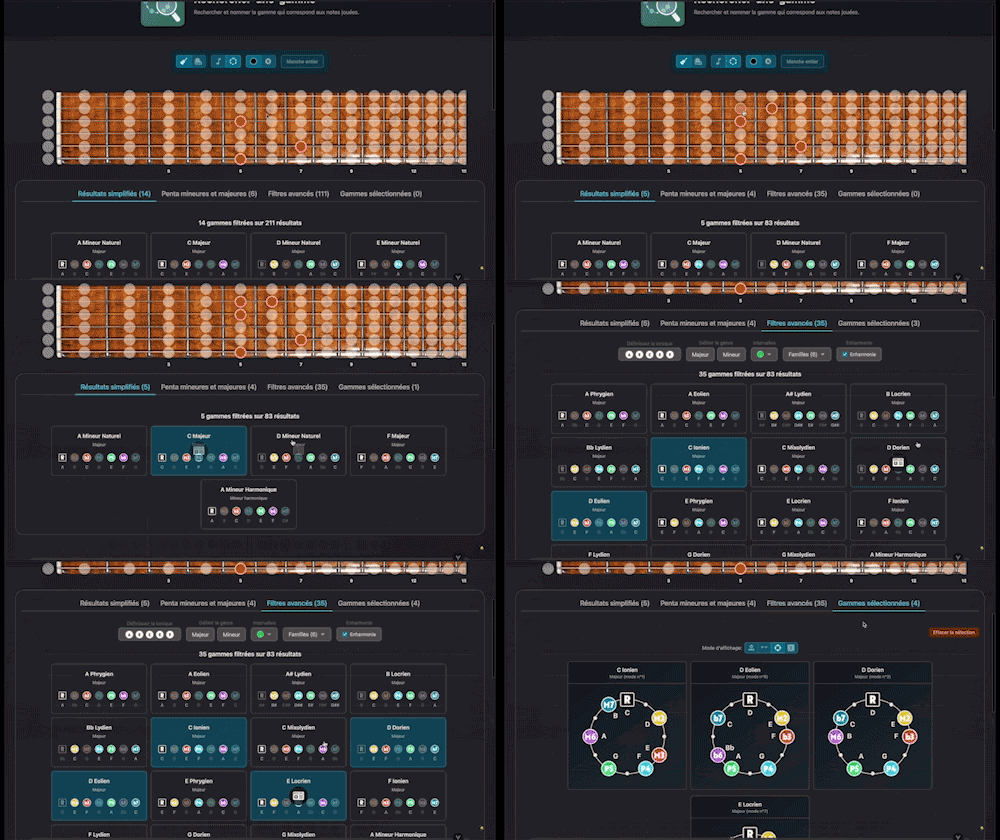
Search for and identify the scale that matches the notes being played

Instantly determine the key of any chord progression: import the sequence or play it live, the app scans the notes, identifies the key and mode, and offers the most relevant harmonization options at a glance.