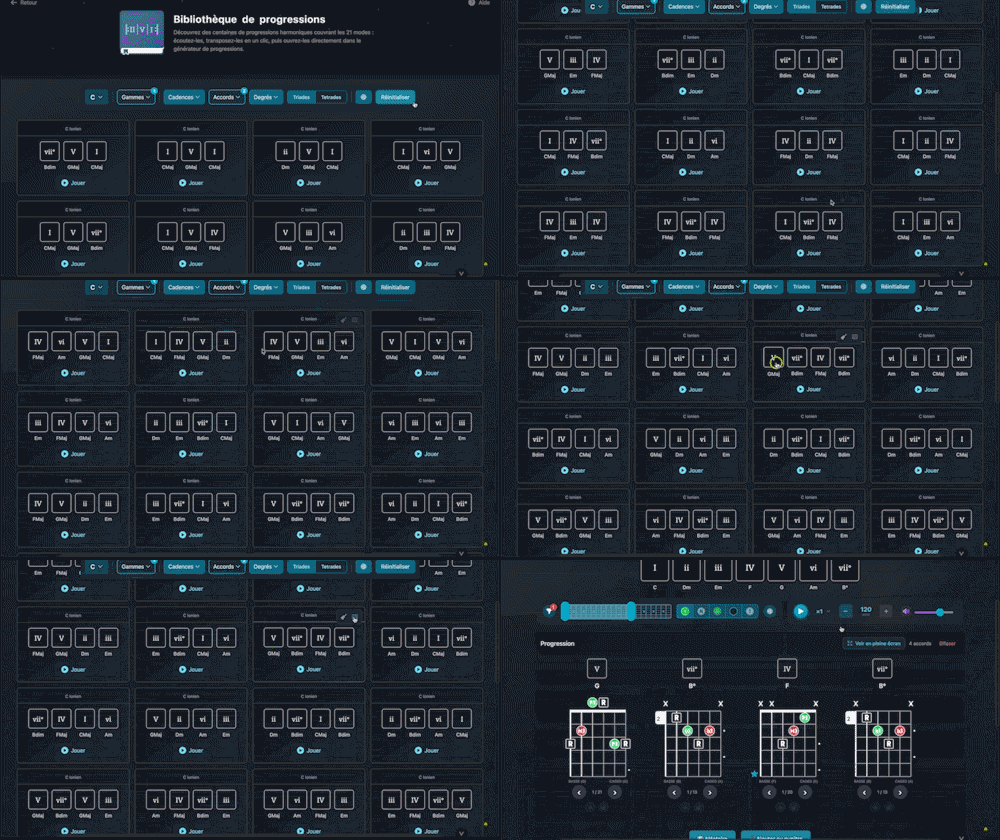
Bibliothèque de progressions
Explore hundreds of harmonic progressions spanning all 21 modes: audition, transpose, and send them straight to the progression generator with a single click.

Browse a library of ready-to-play chord charts organized by genre: blues, jazz, pop-rock and French classics. Each chart comes with its key, section structure and a teaching note. Add any chart to your music stand in one click to customize it in the editor, place it on your sheets or export it as PDF.
Plans: GUITAR
 PREMIUM


Twelve Assistant is a comprehensive suite of music tools designed to help musicians of all levels improve their practice, understanding, and creativity. From guitar to piano, from harmony to rhythm, we have everything you need.
Learn More →Every app below can be played right in your browser, no sign-up needed.
 Bibliothèque de diagrammes d’accords
Try the demo →
Bibliothèque de diagrammes d’accords
Try the demo →
 Guitar chords progression editor
Try the demo →
Guitar chords progression editor
Try the demo →
 Strumming Pattern Generator
Try the demo →
Strumming Pattern Generator
Try the demo →
 Fretboard Explorer
Try the demo →
Fretboard Explorer
Try the demo →
 Key chords diagrams
Try the demo →
Key chords diagrams
Try the demo →
 Backing Track Finder
Try the demo →
Backing Track Finder
Try the demo →
 Key Degrees Analyzer
Try the demo →
Key Degrees Analyzer
Try the demo →
 Piano Harmony Player
Try the demo →
Piano Harmony Player
Try the demo →
 Key Piano Chords
Try the demo →
Key Piano Chords
Try the demo →
 Progression piano editor
Try the demo →
Progression piano editor
Try the demo →
 Chords Chart Editor
Try the demo →
Chords Chart Editor
Try the demo →
 Desk Layout Studio
Try the demo →
Desk Layout Studio
Try the demo →
The Twelve Assistant chord chart library gathers a collection of ready-to-play charts organized by genre: blues, jazz, pop-rock and French classics. Instead of starting from scratch, you browse real song charts, listen to them, and add them to your music stand in one click. Each chart comes with its key, its section structure and a short teaching note that explains what is happening harmonically. It is the ideal place to find a solid starting point, understand how a standard is built, or assemble a repertoire to practice. Once added, the chart becomes fully editable in the editor, ready to place on your sheets and export to PDF.
The library is designed to move quickly from the catalog to the song you want to play.
Charts are organized by musical genre, from blues to jazz through pop-rock and French classics. You browse each family and spot at a glance the style you are after, with a real preview of the chart before you even open it.
A search field filters the library by song title or by artist. You quickly find a specific standard or explore what exists around a name, without scrolling the whole list.
Each chart shows its key and scale on the card, along with its section structure. A teaching note accompanies the chart to explain its harmonic logic, making it a real learning resource and not just a chord sequence.
The Add to my music stand button copies the chart into your workspace, ready to place on a sheet or reopen in the editor. You build your own repertoire from the library, song after song.
You can listen to a chart directly from the library to hear its harmonic color before keeping it. A simple way to compare several charts and keep the one that matches what you are looking for.
Opening a chart in the editor applies its key, and its scale when recognized unambiguously, to the active layer. You start again in the right harmonic context to customize the chart, transpose it or restructure it.
From discovery to a chart ready to work on, it all fits in a few clicks.
Concrete example: search for a blues, listen to a minor blues chart, add it to your music stand, then open it in the editor to replace the final chord and adapt it to your version before printing.
After choosing a chart, customize it in the Chord Chart Editor, explore variations with the Progression Generator, or visualize each chord on the fretboard with the Chord Diagram Library. Store and lay out your favorite charts in the digital music stand.
The chord chart library is the ideal shortcut between the urge to play a song and a chart ready to work on. Explore the genres, listen, add to your music stand, and get started.
Choose the plan that fits your needs and unlock this app along with many others.
View Plans14-day money-back guarantee. Cancel anytime.
Explore our full suite of music tools
Explore hundreds of harmonic progressions spanning all 21 modes: audition, transpose, and send them straight to the progression generator with a single click.

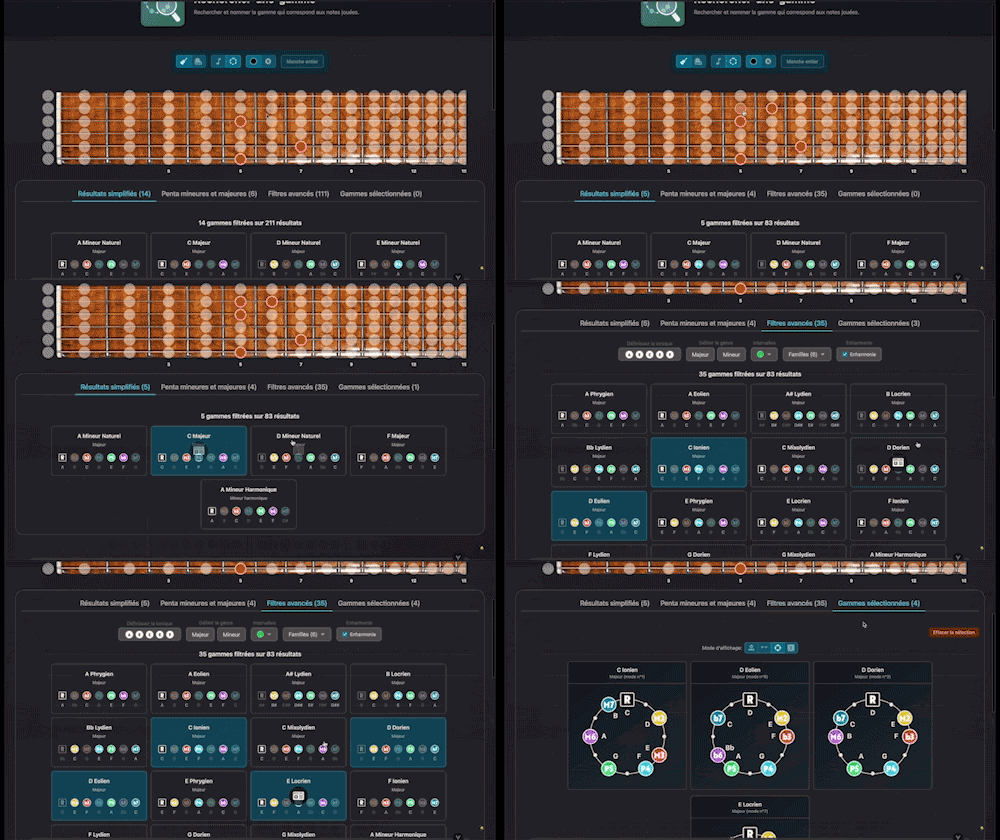
Search for and identify the scale that matches the notes being played

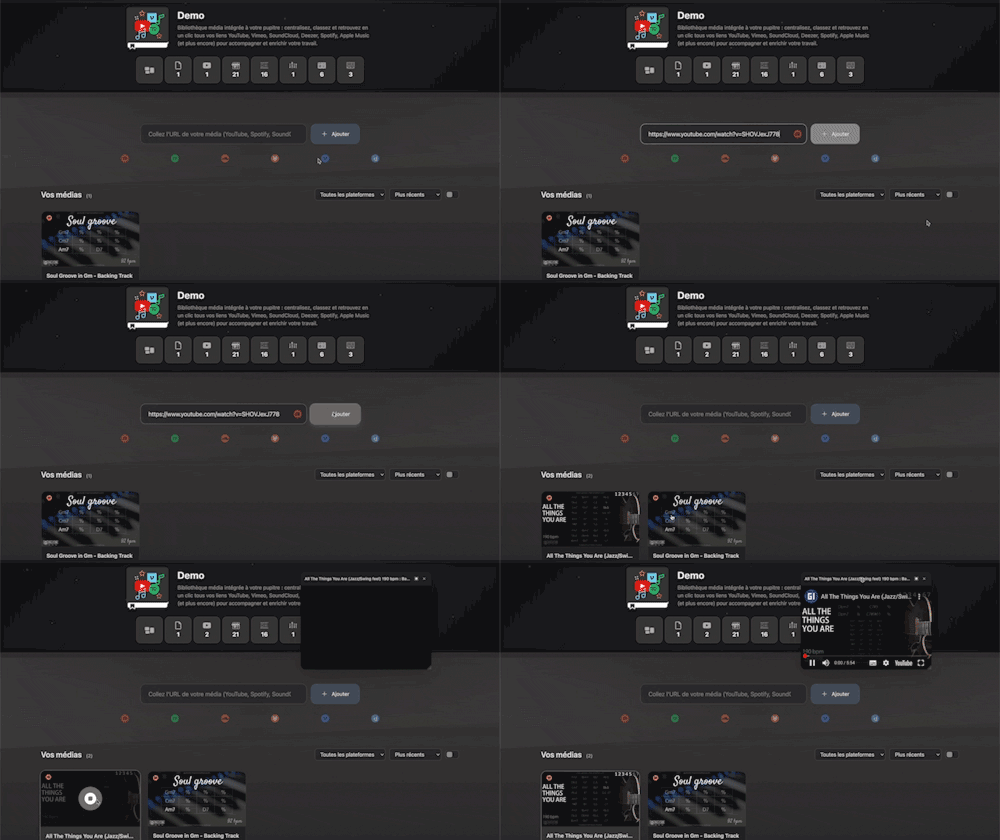
Integrated media library for your workspace: centralize, organize, and access all your YouTube, Vimeo, SoundCloud, Deezer, Spotify, Apple Music links (and more) with a single click to support and enrich your work.

Instantly search and identify the chord being played based on its position on the fretboard

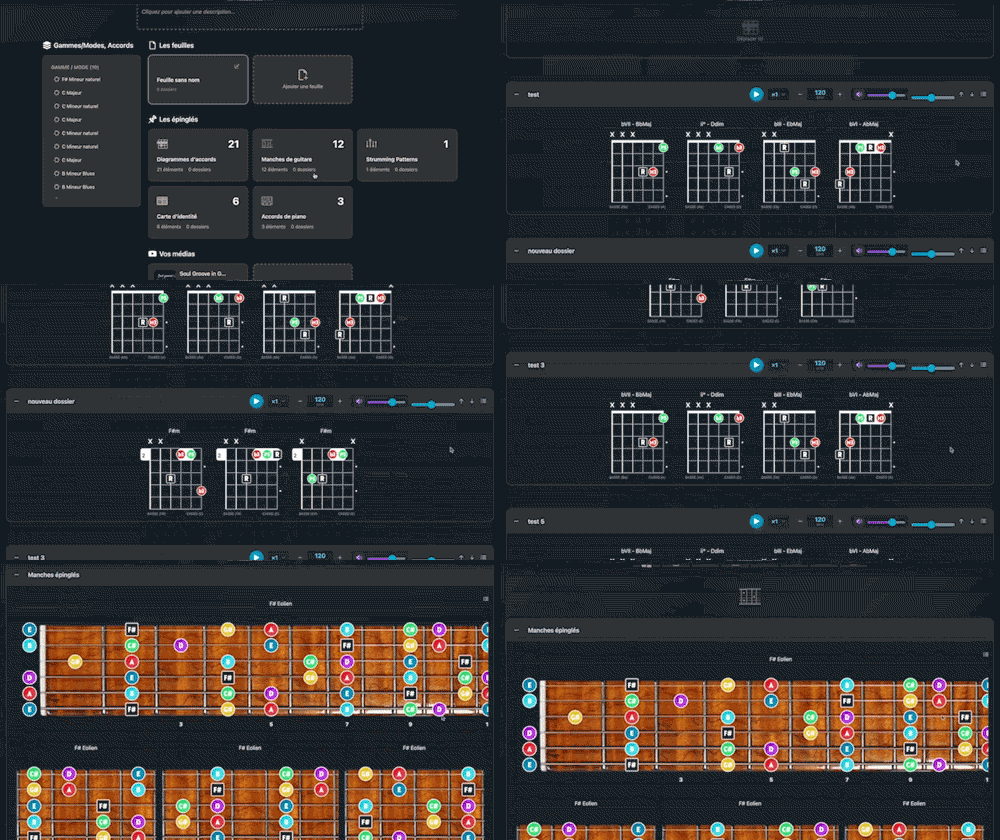
Arrange and lay out all your pinned items—diagrams, composition scales and charts—in the Desk Editor so you can save and print your work.

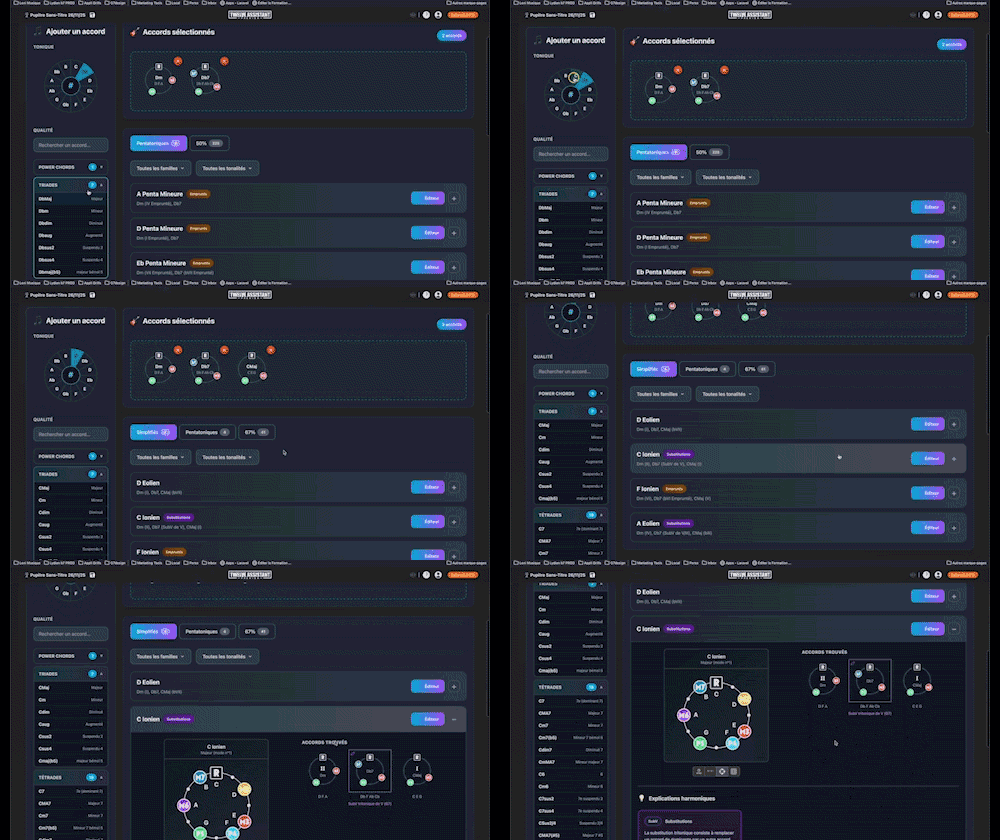
Instantly determine the key of any chord progression: import the sequence or play it live, the app scans the notes, identifies the key and mode, and offers the most relevant harmonization options at a glance.

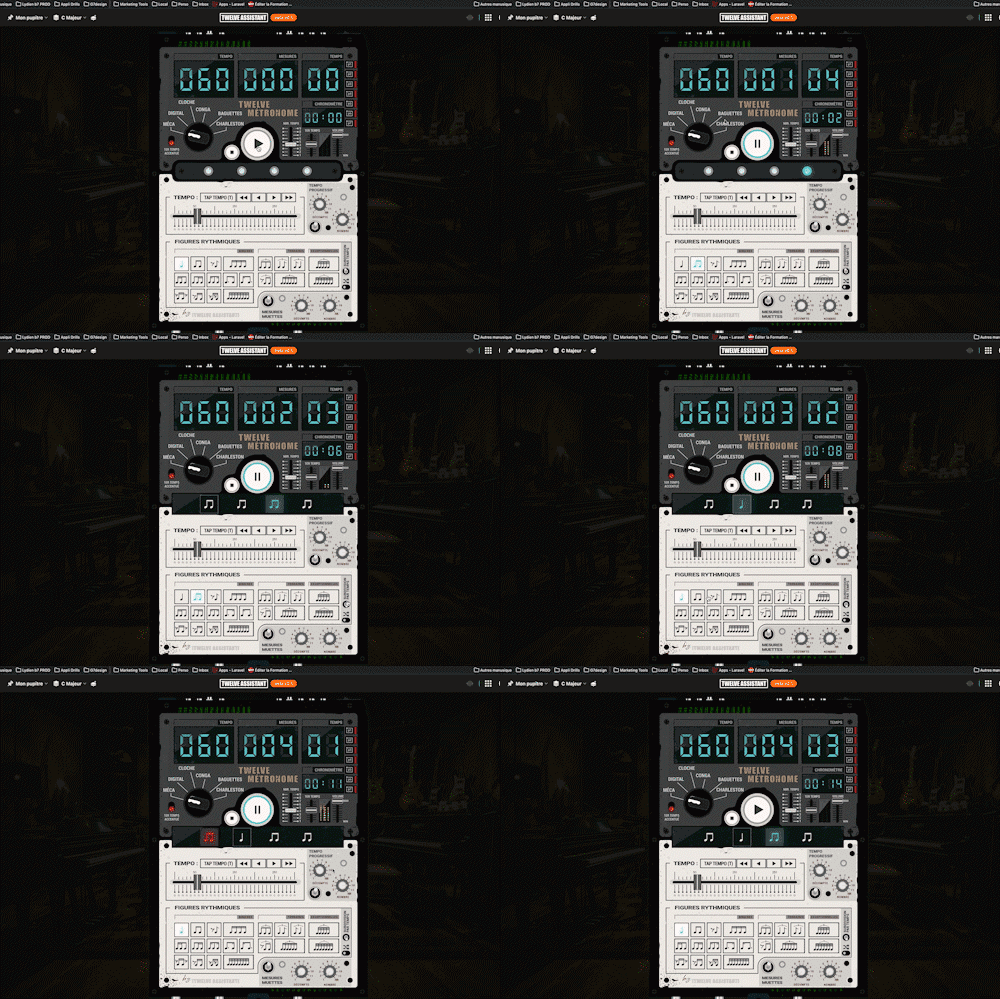
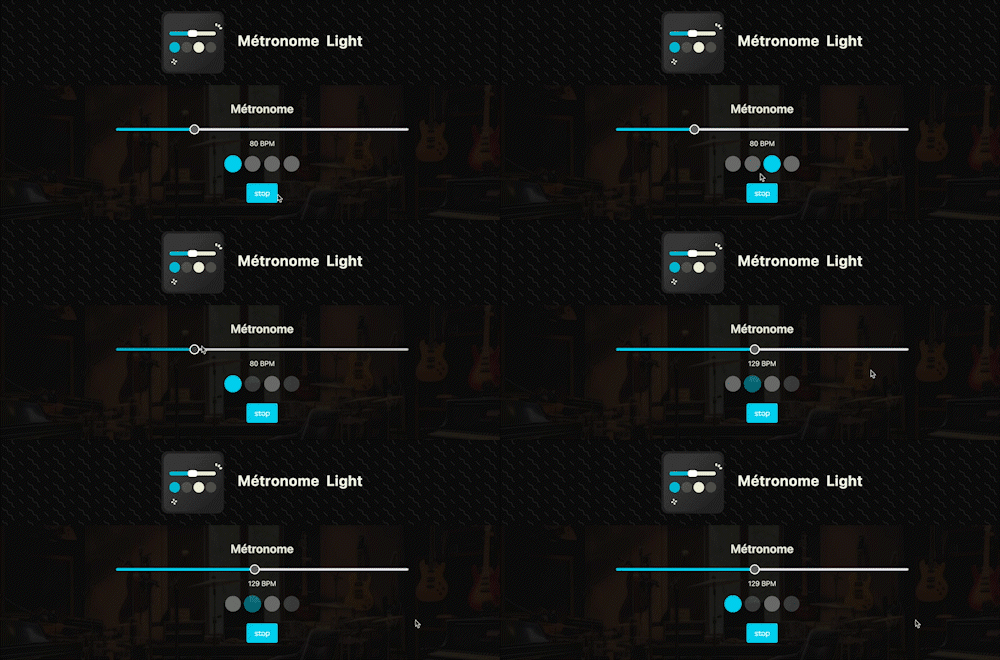
A straightforward, visual metronome: customize the tempo intuitively by clicking on the beat LEDs to set your perfect pulse.
A full-featured metronome with a complete selection of rhythmic figures and advanced settings and functionalities