

Left-Handed Guitar Mode: Flip the Fretboard
View the fretboard, scales, chords and intervals in the orientation that matches your instrument. The left-handed mode becomes your preference and follows your work across all compatible displays.
Explore the features in screenshots
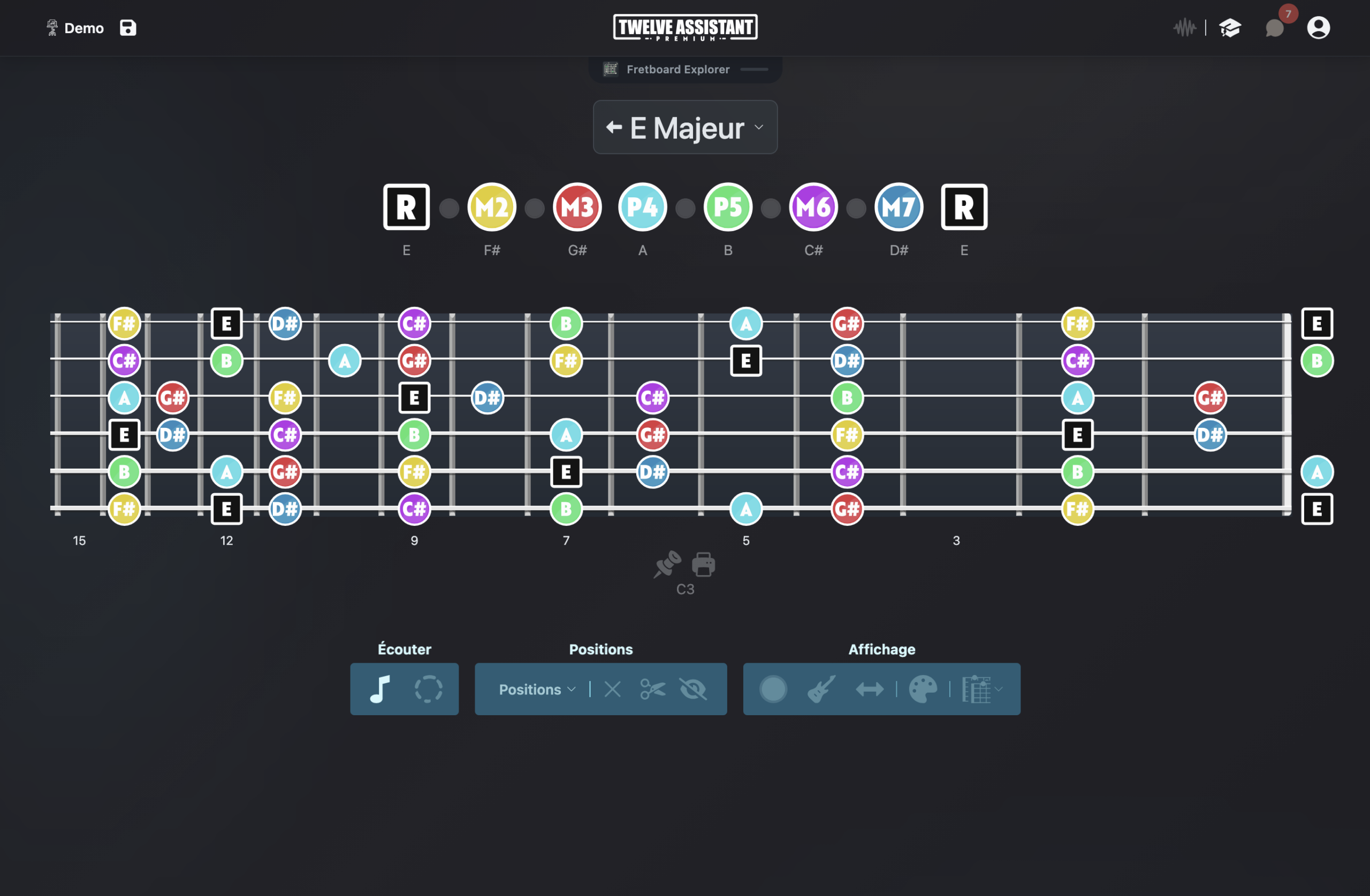
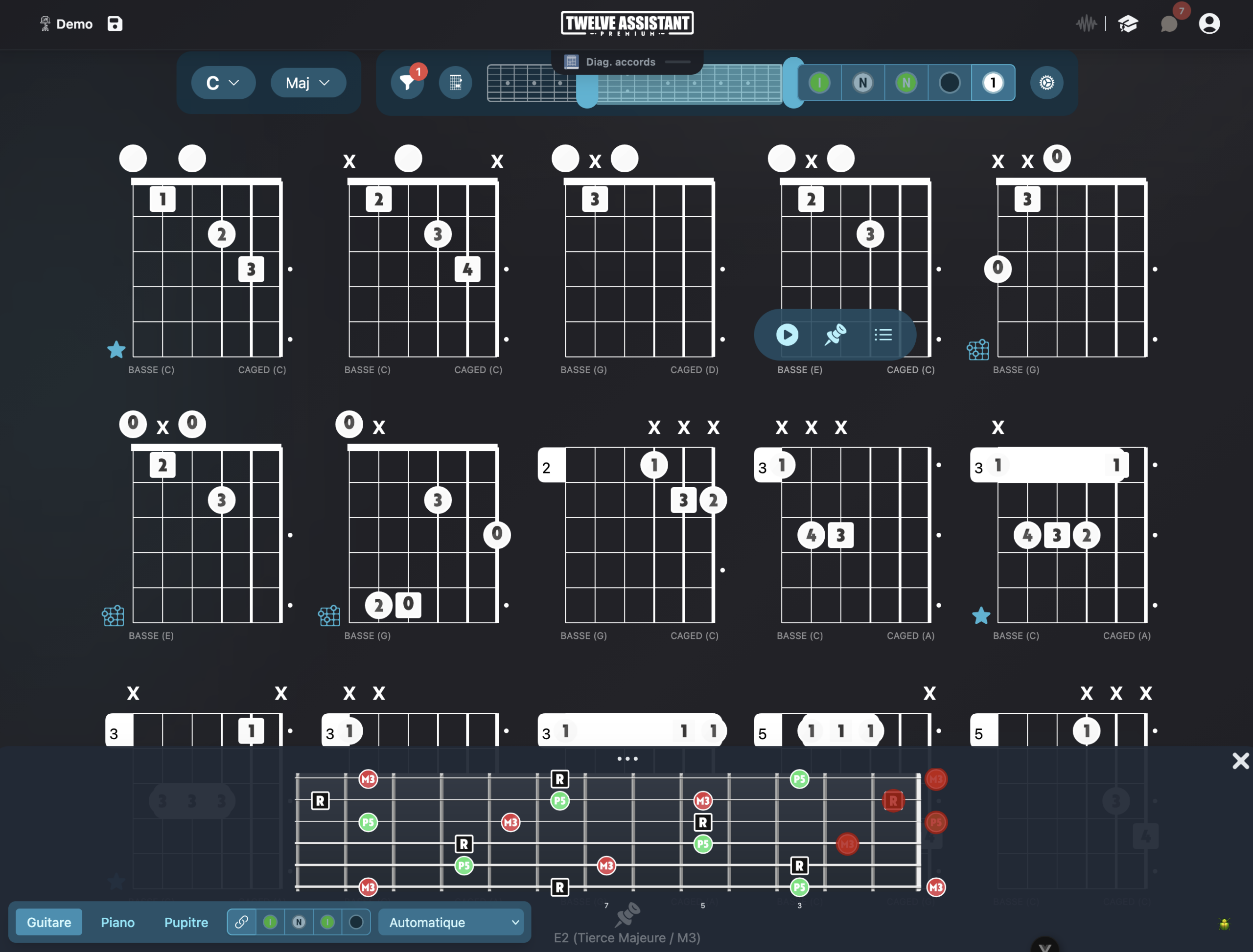
Finally, a fretboard that needs no mental transposition
Many music theory resources are designed only for right-handed players. For a left-handed guitarist, this often requires mentally flipping each position before even starting to practice. Twelve Assistant lets you display the fretboard in the adapted orientation, so visual reading matches your actual playing gesture.
Left-handed mode does more than just flip an image. Fret markers, notes, intervals, scale positions and diagrams maintain their musical logic. You can hear notes, isolate a fretboard zone, compare multiple views and send your elements to the Desk.
Once you set your preference in your profile, it stays. Compatible fretboard displays and diagrams automatically open in the right orientation. This saves you from resetting every session or tool change.
Your entire musical environment in left-handed mode
Mirrored fretboard
The nut, frets and positions are shown in the natural orientation of a left-handed guitar.
Scales and modes
Spot notes, intervals and playing zones across the full length of the fretboard.
Chord diagrams
View shapes and voicings without having to mentally flip the diagram.
Persistent preference
Your right-handed or left-handed choice is saved in your user preferences.
All your tunings
Left-handed mode works with preset and custom tunings.
Personal desk
Gather your diagrams, analyses and exercises in a workspace.
From visualization to composition
Choose a scale, mode or chord and immediately see its distribution on the fretboard. You can display note names or intervals, hide unnecessary information, limit the working zone and hear the elements. Reading becomes direct, including for preparing a lesson, rehearsal or improvisation.
The progression tools then help you build a chord sequence and explore available voicings. The result can be organized in the Desk, printed or saved with your other working elements. Left-handed mode supports a real practice workflow, not just an isolated image.
Advanced features around your tuning
Scale and chord libraries
Start from a key, mode or chord, then display the musical information on your actual fretboard configuration.
Chord progressions
Build a chord sequence, hear its movement and find positions or voicings suited to your instrument and tuning.
Personal desk
Gather useful diagrams, positions and analyses in a worksheet you can organize according to your practice.
Display everything left-handed
The number of strings and tuning are independent of orientation. You can keep exactly the same musical configuration and display the fretboard in the orientation matching a left-handed instrument.
When the left-handed preference is saved in your profile, compatible fretboard displays and diagrams use it automatically. The setting remains editable at any time.
A preference that follows you
Choose right-handed or left-handed once in your preferences. The fretboard keeps the same tuning and adapts only its visual orientation.
This preference then applies to compatible fretboard displays and diagrams.
Set once, work everywhere
Open your user preferences, choose the left-handed display, then select your instrument and tuning. From there, compatible components automatically use this orientation. You can switch back to right-handed mode anytime, without changing your musical data.
Choose the instrument
Define the number of strings, tuning and orientation.
Display content
Select a scale, chord or progression and choose visible information.
Save the result
Listen, compare and place your useful diagrams in the Desk.
Discover all features in video
See how Twelve Assistant connects the fretboard, scale and chord libraries, voicings, progressions and the Desk in one working environment.
Frequently asked questions
Does left-handed mode reverse the tuning notes?
No. It adapts the visual orientation of the fretboard. The notes and tuning logic remain unchanged.
Is the left-handed preference saved?
Yes. The choice is saved in user preferences to be used in compatible displays.
Can I use a custom tuning in left-handed mode?
Yes. You choose the number of strings and tuning notes, then keep the left-handed orientation.
Are chord diagrams affected?
Diagrams and fretboards compatible with orientation preference can be displayed for a left-handed guitarist.
Can I prepare chord sequences?
Yes. Progression editors, voicing libraries and the Desk complement the fretboard work.
Explore other instruments and tunings
Try Twelve Assistant with your instrument
Start for free, watch the feature video or compare plans according to your usage.