

DADGAD chords and scales on the fretboard
Visualize notes, intervals, chords and scales in D A D G A D, then explore the open colors unique to DADGAD tuning.
Explore the features in screenshots
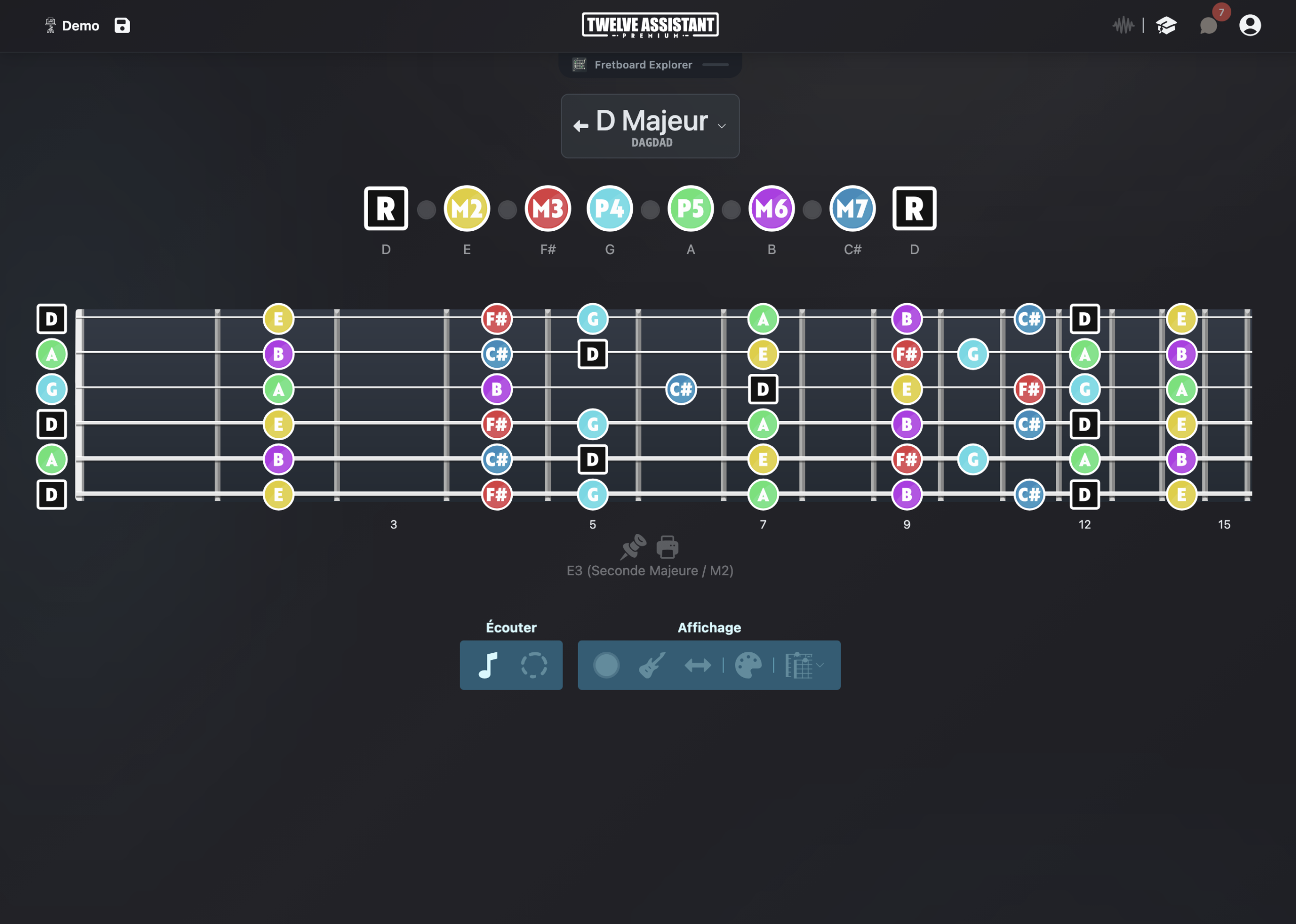

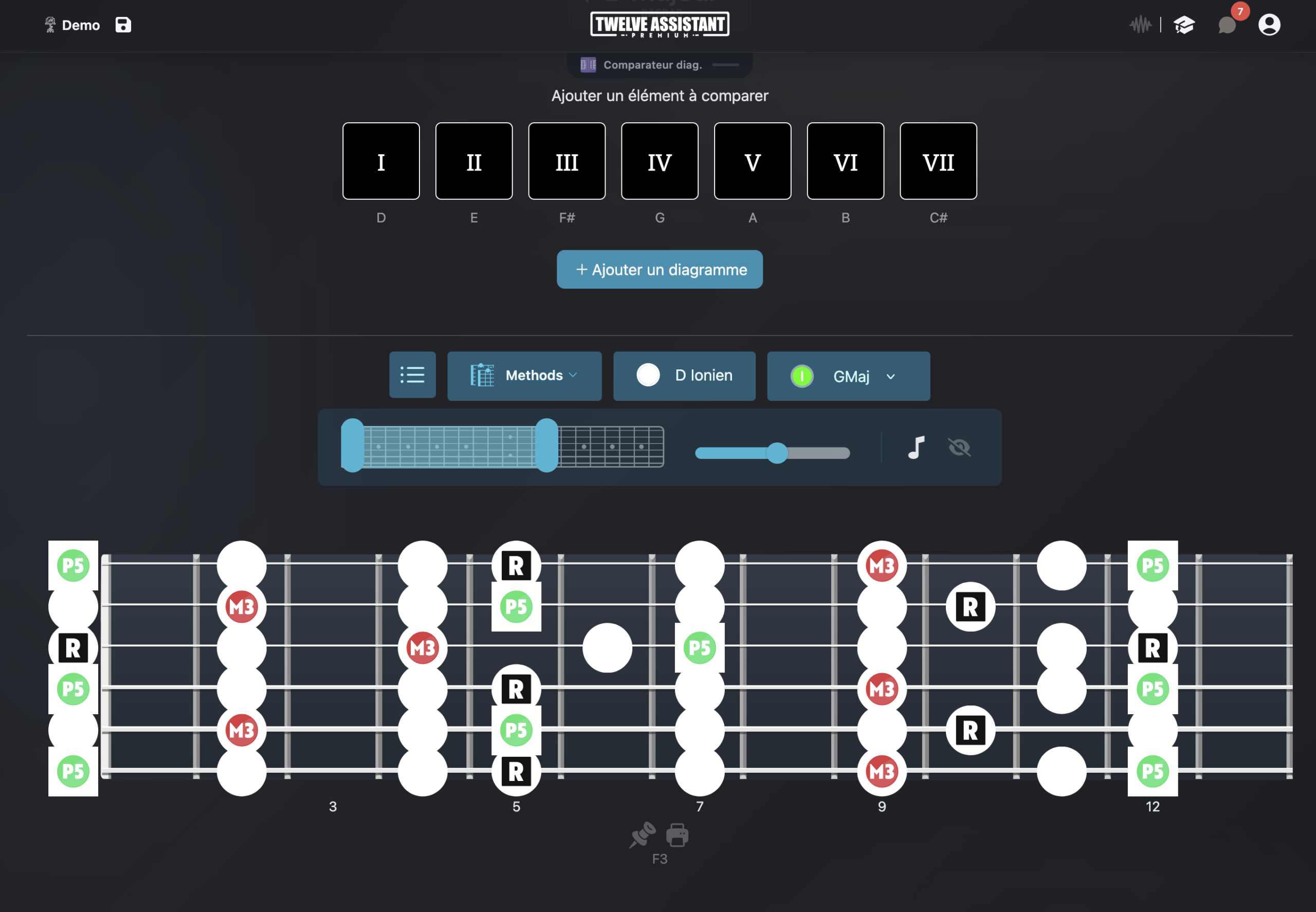
Understanding DADGAD’s new relationships
DADGAD transforms the reference points built in standard tuning. The open strings create a suspended color and many familiar positions shift. A fretboard calculated in the right tuning lets you see the new relationships immediately.
Twelve Assistant displays each note and interval according to D A D G A D. You can start from a key, mode or chord and observe the zones where open strings reinforce the color you’re seeking.
The goal is to move from an inspiring but sometimes disorienting tuning to a readable compositional space, with positions you can listen to, compare and organize.
Explore DADGAD without losing your bearings
D A D G A D tuning
Calculation starts from the six actual notes of the tuning.
Open strings
Identify their role in chords, drones and modes.
Scales and modes
Visualize available notes in each zone of the fretboard.
Chords and colors
Explore open, suspended and enriched voicings.
Adapted progressions
Connect chord sequences to positions compatible with the tuning.
Left-handed mode
Keep DADGAD with visual orientation for left-handed players.
Make open strings a harmonic choice
The D and A strings become natural anchors. By displaying intervals, you see when they play the root, fifth, color tone or tension. This information helps you choose what should ring out.
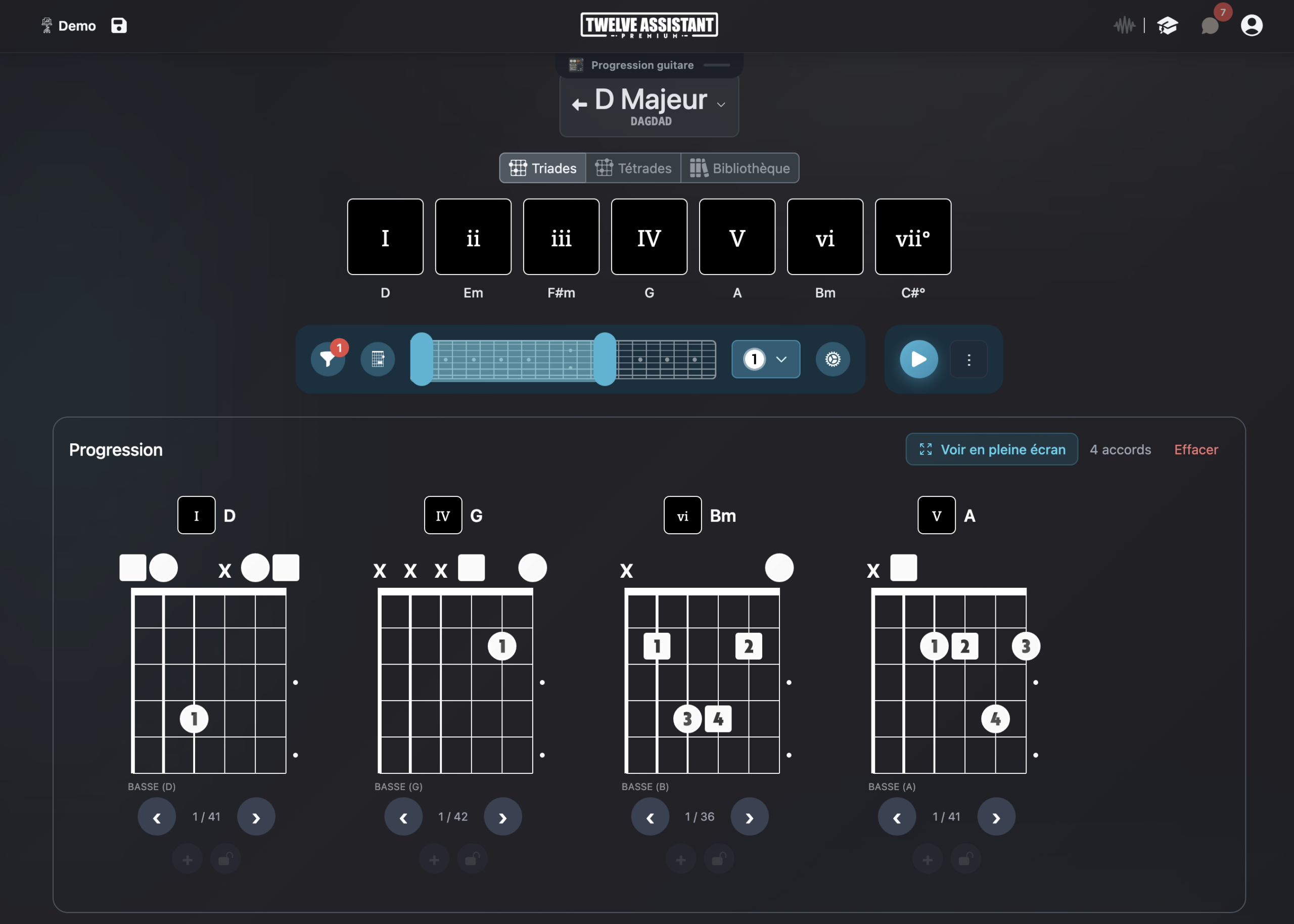
The chord progression generator and voicing library provide context for exploration. You can build a progression, search for positions compatible with DADGAD and gather them in the Music Stand.
Advanced features around your tuning
Scale and chord libraries
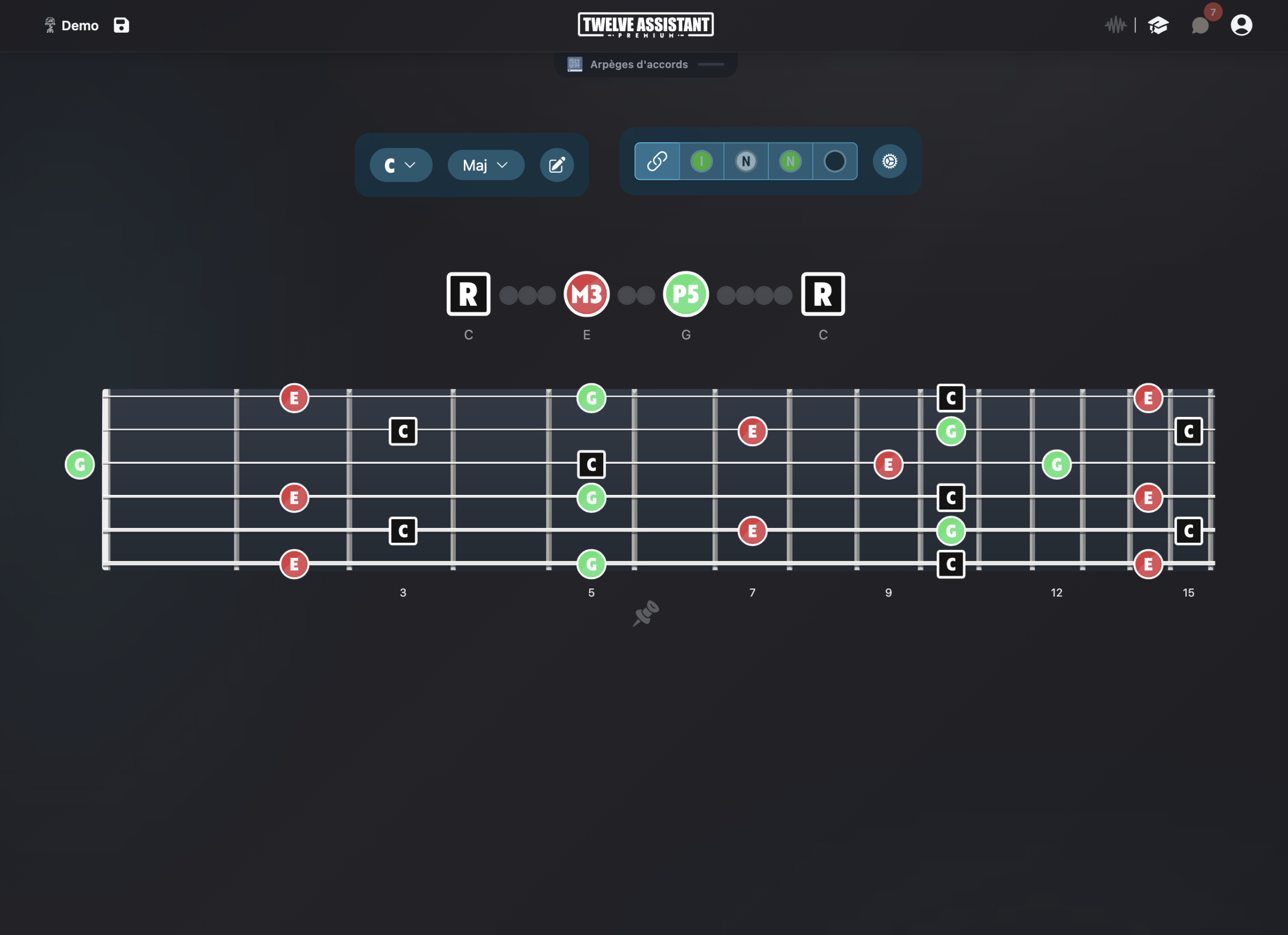
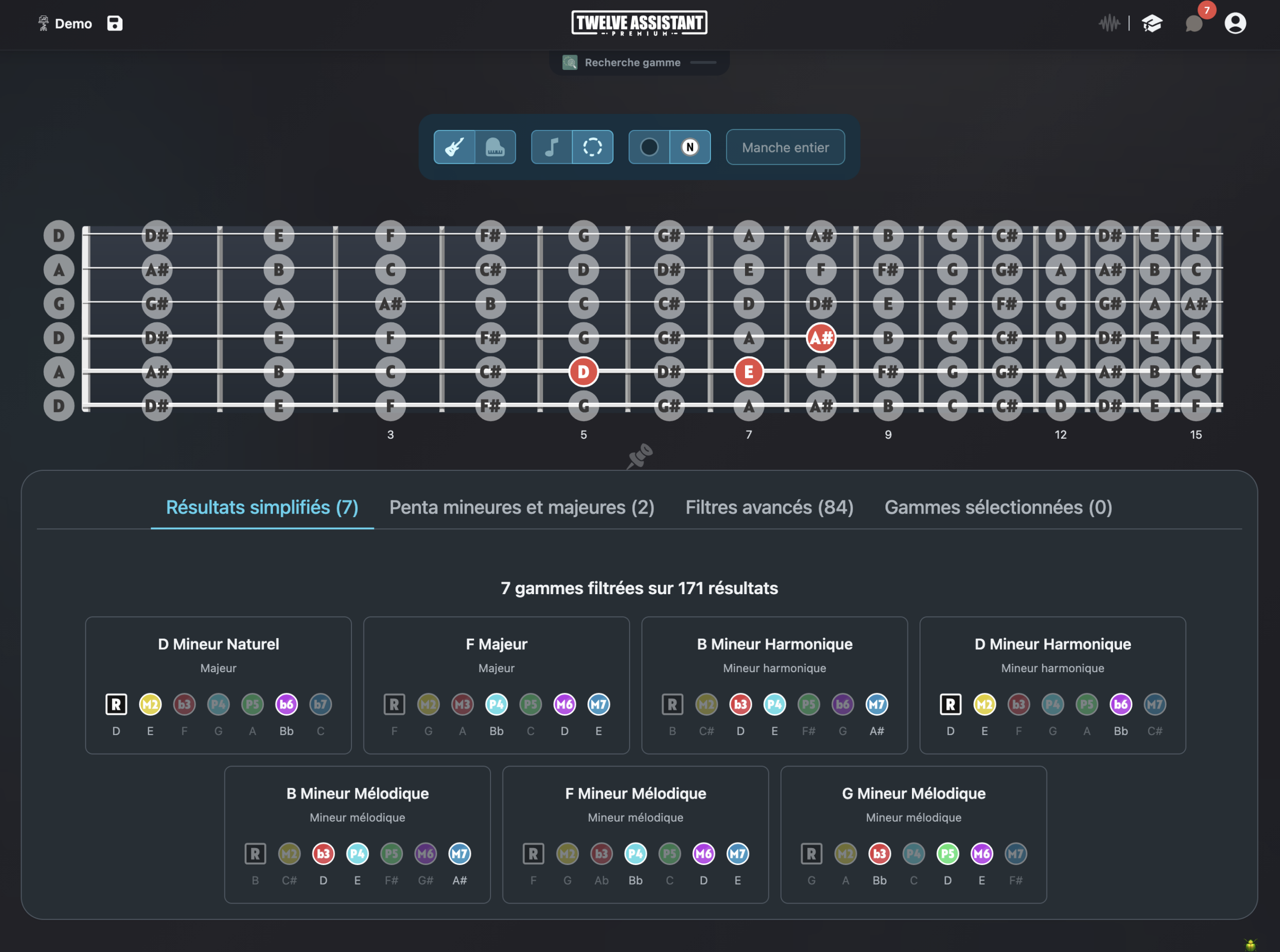
Start from a key, mode or chord, then display musical information on your fretboard’s actual configuration.
Chord progressions
Create a chord sequence, listen to its movement and search for positions or voicings adapted to your instrument and tuning.
Personal Music Stand
Gather useful diagrams, positions and analyses in a practice sheet you can organize according to your workflow.
Display everything left-handed
String count and tuning are independent from orientation. You can therefore keep exactly the same musical configuration and display the fretboard mirrored for a left-handed instrument.
When the left-handed preference is saved in your profile, compatible fretboard and diagram displays automatically apply it. The setting remains adjustable at any time.
A preference that follows you
Choose right or left-handed once in your preferences. The fretboard keeps the same tuning and only adapts its visual orientation.
This preference then applies to fretboard displays and compatible diagrams.
Create a progression in DADGAD
Activate D A D G A D, choose a key centered on D or another modal color, then display intervals. Test the chords in your progression and keep positions that use open strings musically.
Choose instrument
Define string count, tuning and orientation.
Display content
Select a scale, chord or progression and choose visible information.
Save results
Listen, compare and place your useful diagrams in the Music Stand.
Discover all features in video
See how Twelve Assistant connects fretboard, scale and chord libraries, voicings, progressions and Music Stand in a single workspace.
Frequently asked questions
Are DADGAD and Open D identical?
No. DADGAD is D A D G A D. Open D uses a different distribution, typically D A D F♯ A D.
Can I display scales in all keys?
Yes. The fretboard recalculates according to selected tuning and key.
Do standard voicings still work?
Some shapes change. Use positions calculated or verified for DADGAD.
Can I save my positions?
Yes. Useful elements can be grouped in the Music Stand.
Explore other instruments and tunings
Try Twelve Assistant with your instrument
Start for free, watch the feature video or compare plans based on your needs.